Social engineering: verify the request, not just the story
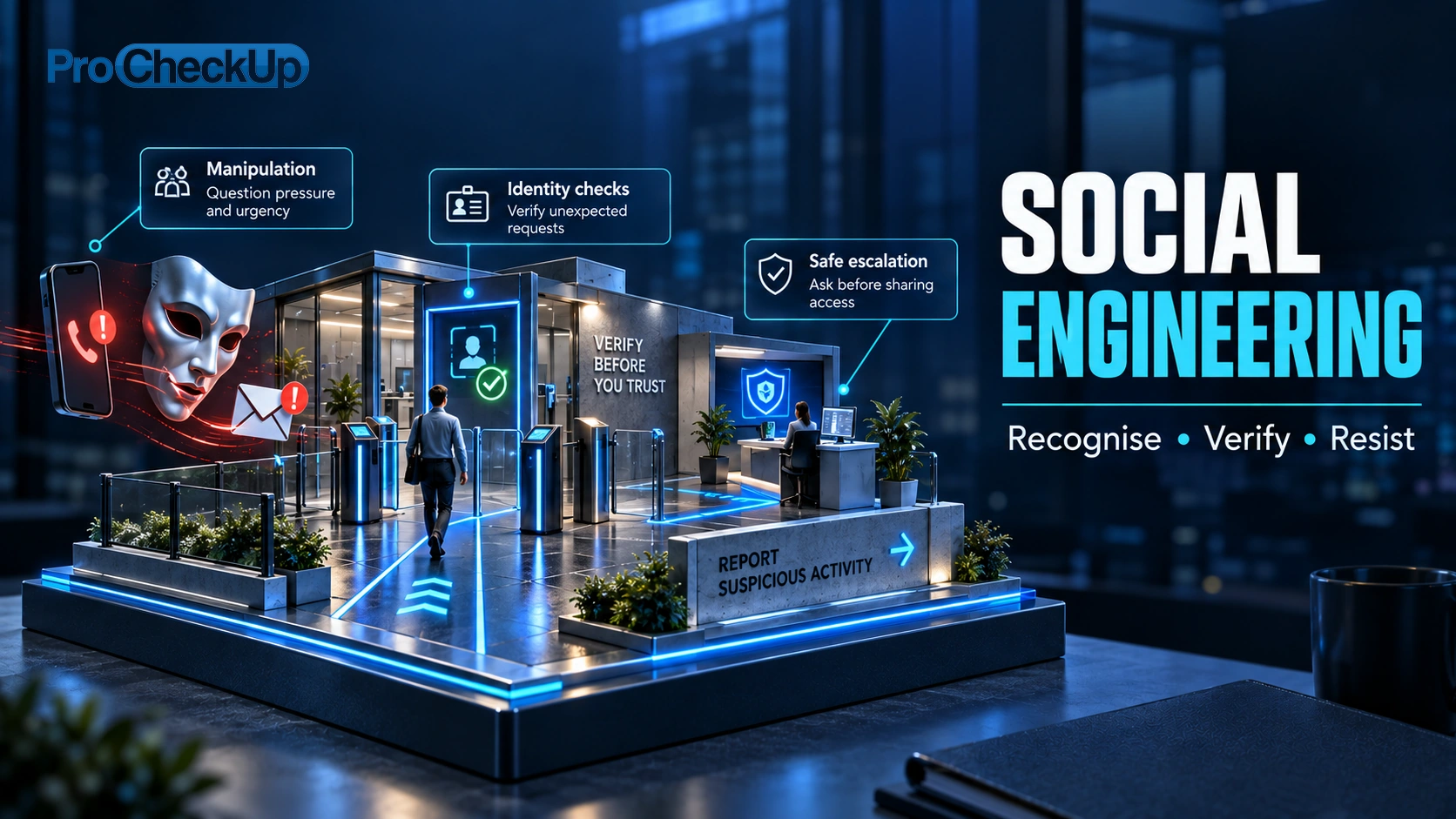
Social engineering manipulates a person into taking an action or disclosing information that benefits an attacker. It can arrive through email, a phone call, messaging, a supplier conversation or physical access. The request often exploits urgency, authority, helpfulness or a familiar relationship.
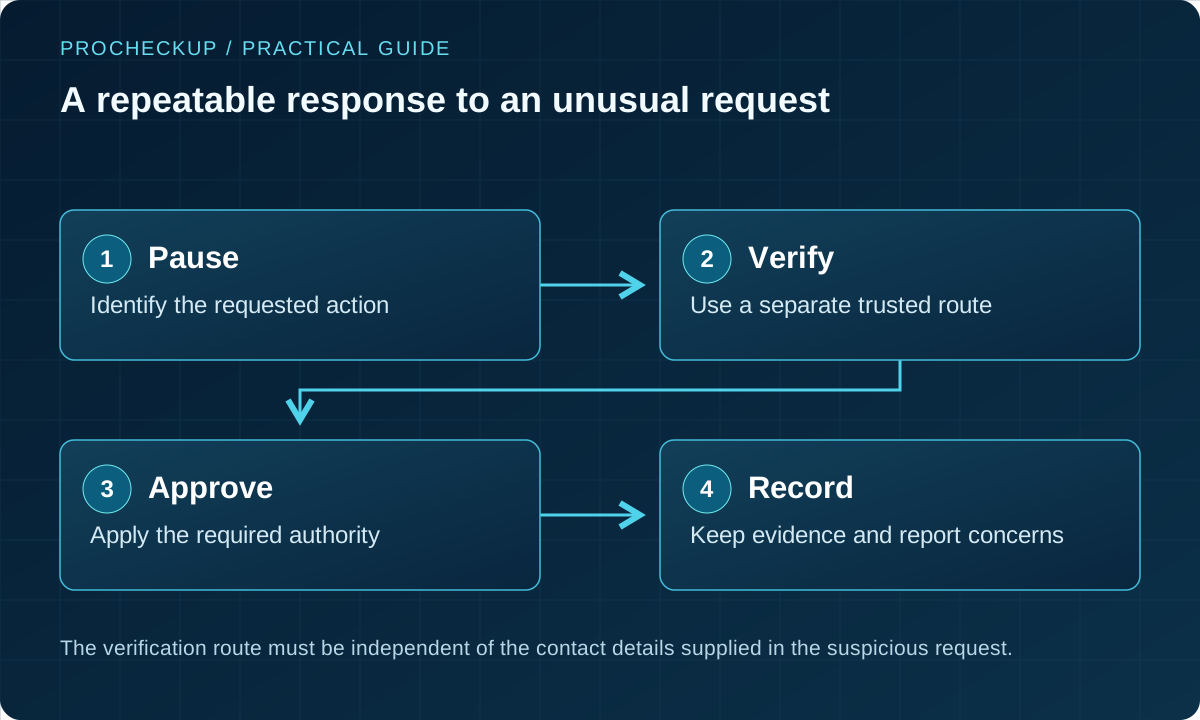
The practical defence is a workflow that makes independent verification easy, especially for money, access and sensitive information. Awareness helps, but staff should not have to recognise every deception unaided.
Reviewed: 28 October 2026.
Recognise high-risk requests
| Request | Why it deserves a pause | Safer response |
|---|---|---|
| Change bank details or make an urgent payment | A genuine conversation or mailbox may have been hijacked. | Verify through an established contact route and apply independent payment approval. |
| Reset MFA, enrol a device or issue a temporary password | A caller may impersonate an employee or senior manager. | Use the approved identity-recovery process; do not improvise under pressure. |
| Install remote-support software or share an approval code | The request can hand over access or an authenticated session. | Contact the service desk using a known number or internal channel. |
| Send files to a new portal or external account | A convincing document or supplier name does not establish authority. | Confirm the business purpose, destination and approved transfer method. |
| Allow a visitor through a controlled door | Tailgating exploits politeness and assumed authority. | Follow visitor and escort procedures; ask security staff to assist safely. |
Grammar, branding, a familiar sender and a convincing voice are weak assurances. Compromised accounts and generated media can appear credible. The decisive question is whether this particular request is authorised.
Understand the tactics and the pressure behind them
| Term | Illustrative situation | Control to practise |
|---|---|---|
| Pretexting | A caller invents an audit, delivery or support problem to justify access. | Verify both identity and authority through an established route. |
| Baiting | A tempting download, gift or found storage device encourages unsafe use. | Use approved software and device-handling procedures; refer unknown media to IT. |
| Quid pro quo | Supposed technical support offers help in return for a code, installation or account change. | Check the request against the support ticket and contact the real provider independently. |
| Tailgating | Someone follows an authorised person into a restricted area. | Use visitor procedures and seek security assistance; do not put staff into a physical confrontation. |
| Authority, urgency or social proof | The story says a senior person demands it, time is running out or colleagues have already complied. | Let staff pause and escalate even when the request appears to come from management. |
The same attempt can combine several tactics and channels. A familiar voice, video appearance or genuine email thread is not sufficient authority for a payment or access change. The safer question is whether the requested action has been independently verified and approved.
Phishing, spear phishing, whaling, smishing and vishing
These labels describe the channel or targeting. Social engineering is the wider use of deception to influence an action; it also includes in-person approaches and physical lures.
| Term | What it means in practice |
|---|---|
| Phishing | A deceptive message tries to obtain information, money or access, or persuade someone to open harmful content. |
| Spear phishing | The approach is tailored to a particular person or organisation, using relevant names, work or relationships. |
| Whaling | A targeted phishing approach aimed at senior or otherwise high-value individuals. |
| Smishing / vishing | Text-message phishing / voice-based deception. An approach can move between a message and a phone call. |
| Business email compromise | A spoofed or compromised business identity is used to manipulate a payment or other business action. It may require no malicious attachment. |
For message-specific checks and examples, see our phishing guide. Official guidance covers targeted phishing and text and messaging scams.
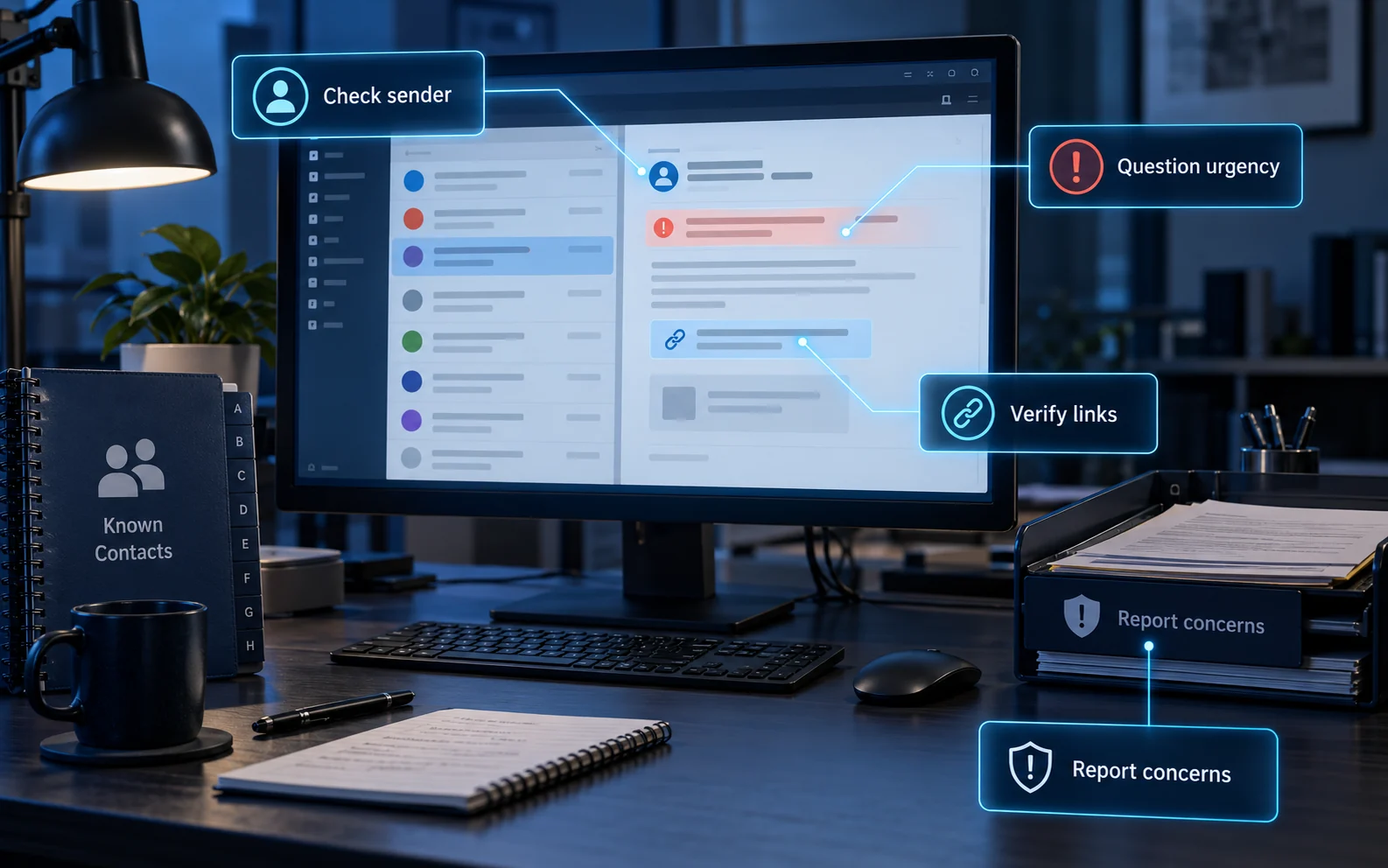
Recognising phishing requests: inspect the sender and question unexpected urgency, but treat these as clues rather than proof. Verify the requested action using a saved contact, trusted bookmark or known application. Do not open a suspicious link to test whether it is safe. If something feels wrong, use your reporting channel and let the security team investigate.
Make it safe to resist pressure
A useful warning sign is a request to bypass a control: keep it secret, skip approval, use a different account or act before anyone can check. Urgency may be genuine, so test the requested action against the process rather than trying to judge the caller’s personality.
- Authority: “The director asked for this.” Apply the same checks to senior staff and suppliers.
- Urgency or fear: “You will lose access in ten minutes.” Use the agreed urgent escalation route.
- Helpfulness or reward: “Install this so I can fix it.” Confirm the support request independently.
- Social proof: “Everyone else has already approved.” Verify the actual approval record.
Give staff words they can use: “I can help once I verify this through our usual process.” Managers should visibly support that pause, including when a request really is their own.
Handle unexpected downloads and devices safely
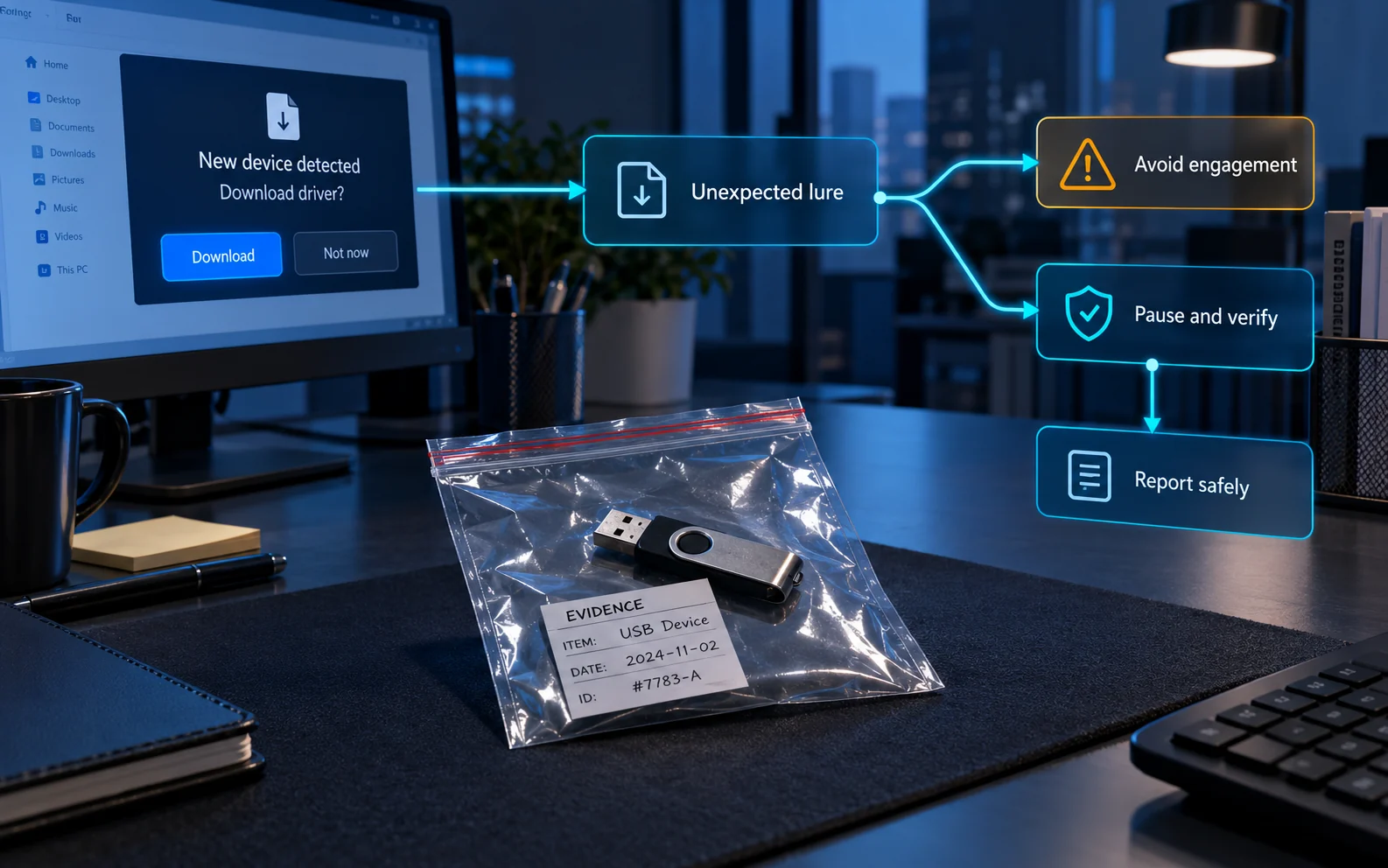
A free download, apparent software update or found USB device can turn curiosity into access. Do not connect unknown storage media, install an unexpected driver or test the lure on a personal device. Check the request through your approved IT channel and follow the organisation’s reporting and device-handling procedure.
If you have already opened or connected it, stop interacting with it and contact IT promptly. Explain what happened and follow their containment instructions; do not investigate the device yourself. The illustration shows a device handled as evidence, not an invitation to plug it in.
Illustrative scenarios and the control that matters
The following are fictional training scenarios, not claims about named incidents.
Supplier payment diversion
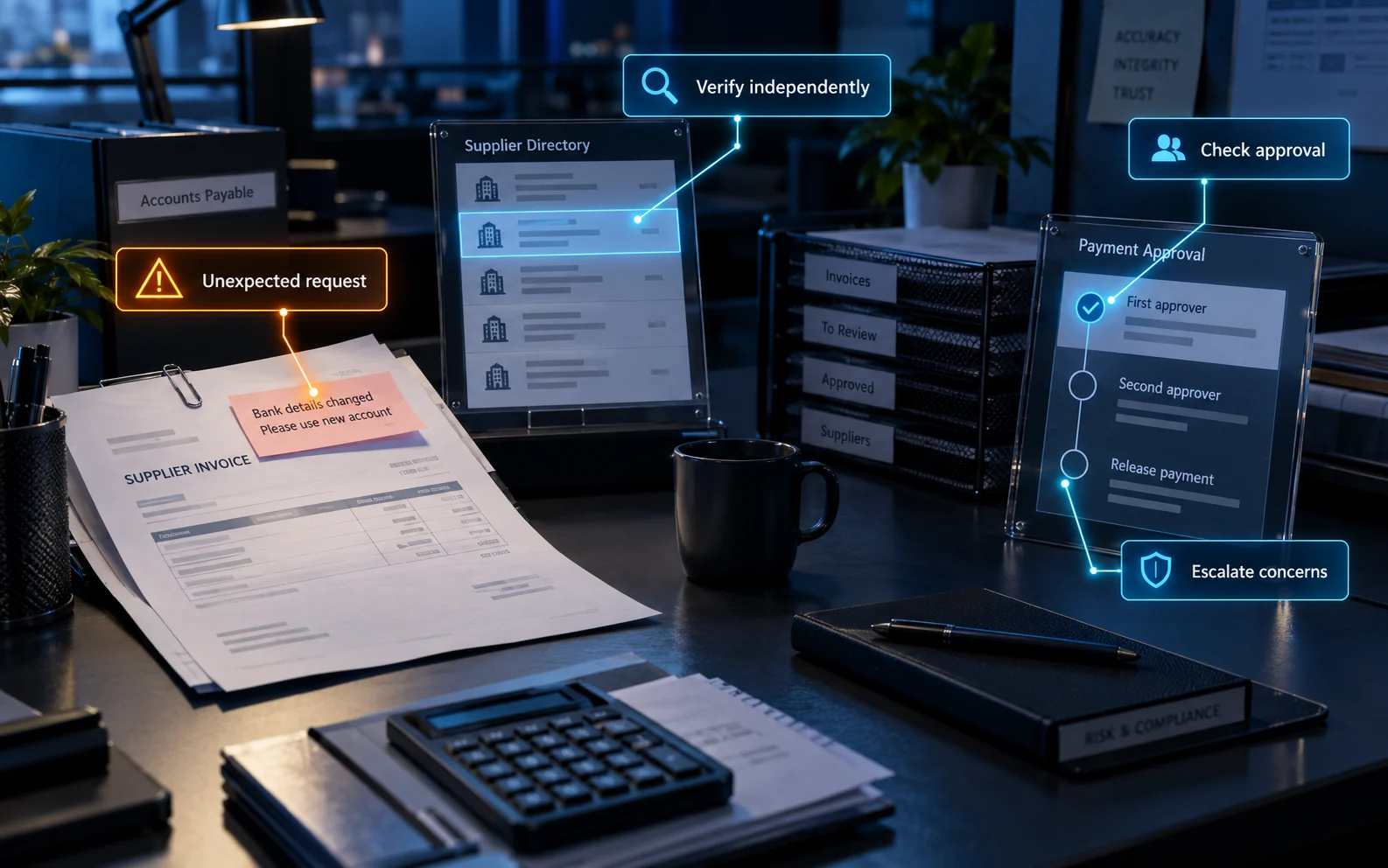
A finance employee receives a request to change an established supplier’s bank account shortly before an invoice is due. The message uses the correct invoice number.
Action: hold the change, call a previously verified supplier contact using stored details and require a separate approver. Record the verification outcome. Contact the bank promptly if a payment has already been sent.
Service-desk impersonation
A caller says they are a director who has lost their phone and urgently needs a new MFA method. They know internal names and projects.
Action: follow a pre-agreed recovery method with appropriate evidence and escalation. Knowledge of internal facts or seniority should not override it. Alert the account owner through an independent route.
Unexpected maintenance visit
A visitor in work clothing asks for access to a communications room, citing an urgent fault.
Action: verify the work order and sponsor through established channels. Keep access and escort requirements in place. Staff should not physically confront someone or put themselves at risk.
Case studies: impact, response and lessons
Case Study 1: High-Profile Phishing Attack and Data Breach
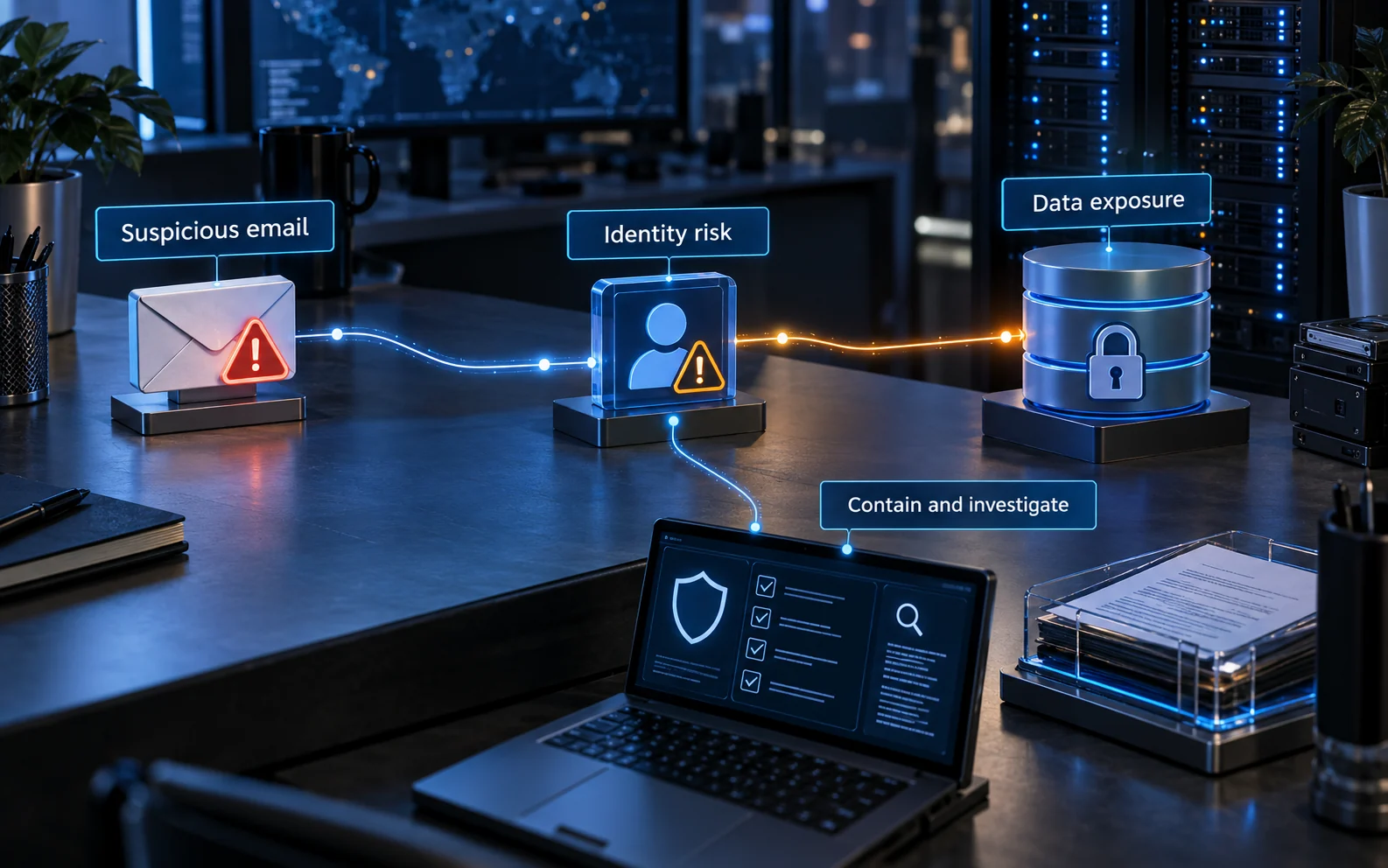
Documented incident: Twitter, July 2020. This case combines phone impersonation (vishing) with a phishing sign-in page.
The New York Department of Financial Services investigation describes attackers impersonating Twitter’s IT help desk by phone. Employees were directed to a fake VPN sign-in page; some also approved the resulting MFA prompts. The attackers subsequently reached internal account-management tools. The report found no evidence that employees knowingly assisted them.
Practical lesson: a believable support story can bypass a weak recovery or approval process. Verify support requests independently, restrict access to sensitive administrative tools and investigate staff reports promptly. The supplier-payment and visitor examples above are fictional training scenarios; this example is a documented incident.
Impact and response: the DFS report records data downloads for seven accounts and possible access to direct-message inboxes for up to 36. Twitter restricted staff access to internal systems while responding; some users also lost account functions temporarily. The consequences therefore included both privacy exposure and service disruption.
Apply the lesson: rehearse how a suspicious support call is escalated, who can suspend privileged access and how affected sessions are revoked. Preserve the action timeline so the organisation can distinguish confirmed access from suspected exposure.
Case Study 2: Pretexting Scam Leading to Financial Loss
Illustrative training scenario. Following the supplier-change approach described above, a finance team accepts new bank details from an impersonator and sends a payment. A correct invoice number and familiar email thread make the request convincing, but no independent confirmation is obtained.
Response: contact the bank immediately, stop further payments to the changed details and involve the incident lead. Preserve the request and approval records, confirm the genuine supplier’s details through an established route and assess whether a mailbox was compromised. Recovery depends on the circumstances and cannot be assumed.
Improvement: separate verification of supplier changes from payment approval, record who confirmed the change and practise the urgent exception process. This scenario illustrates the decisions to rehearse; it does not claim a named victim or a particular loss amount.
Build verification into everyday work
| Owner | Control | Evidence |
|---|---|---|
| Finance | Verified supplier changes and separation of payment duties. | Change records with independent confirmation and approval. |
| IT / service desk | Consistent account recovery and privileged-access requests. | Recorded checks, escalation and notifications. |
| Procurement / service owners | Agreed supplier contacts and change channels. | Current contact register and tested fallback route. |
| Facilities | Visitor sponsorship, badges and escort rules. | Visitor records and a safe route to report concerns. |
| Everyone / security | Simple reporting with prompt, supportive feedback. | Reports are triaged and recurring workflow weaknesses are corrected. |
Use technical controls to reduce the harm
- Email and devices: enable maintained filtering and endpoint protection, keep software updated, and control which software staff can install. Configure and monitor SPF, DKIM and DMARC for your email domains; these help with domain spoofing but cannot make every message trustworthy.
- Authentication: prioritise phishing-resistant MFA, such as appropriately deployed FIDO2/WebAuthn authenticators. Protect enrolment and recovery too. An attacker should not be able to replace a strong sign-in method through a weak help-desk check.
- Permissions: limit access to what the role needs, review powerful accounts and remove obsolete access. Separate high-impact changes from their approval.
- Business decisions: retain independent checks for payments and sensitive disclosures. Strong authentication cannot stop an authorised person being deceived into approving the wrong transaction.
See CISA’s phishing-resistant MFA guidance. Choose controls for the systems and workflows in use, and test the recovery paths as well as normal sign-in.
Social engineering defence resources
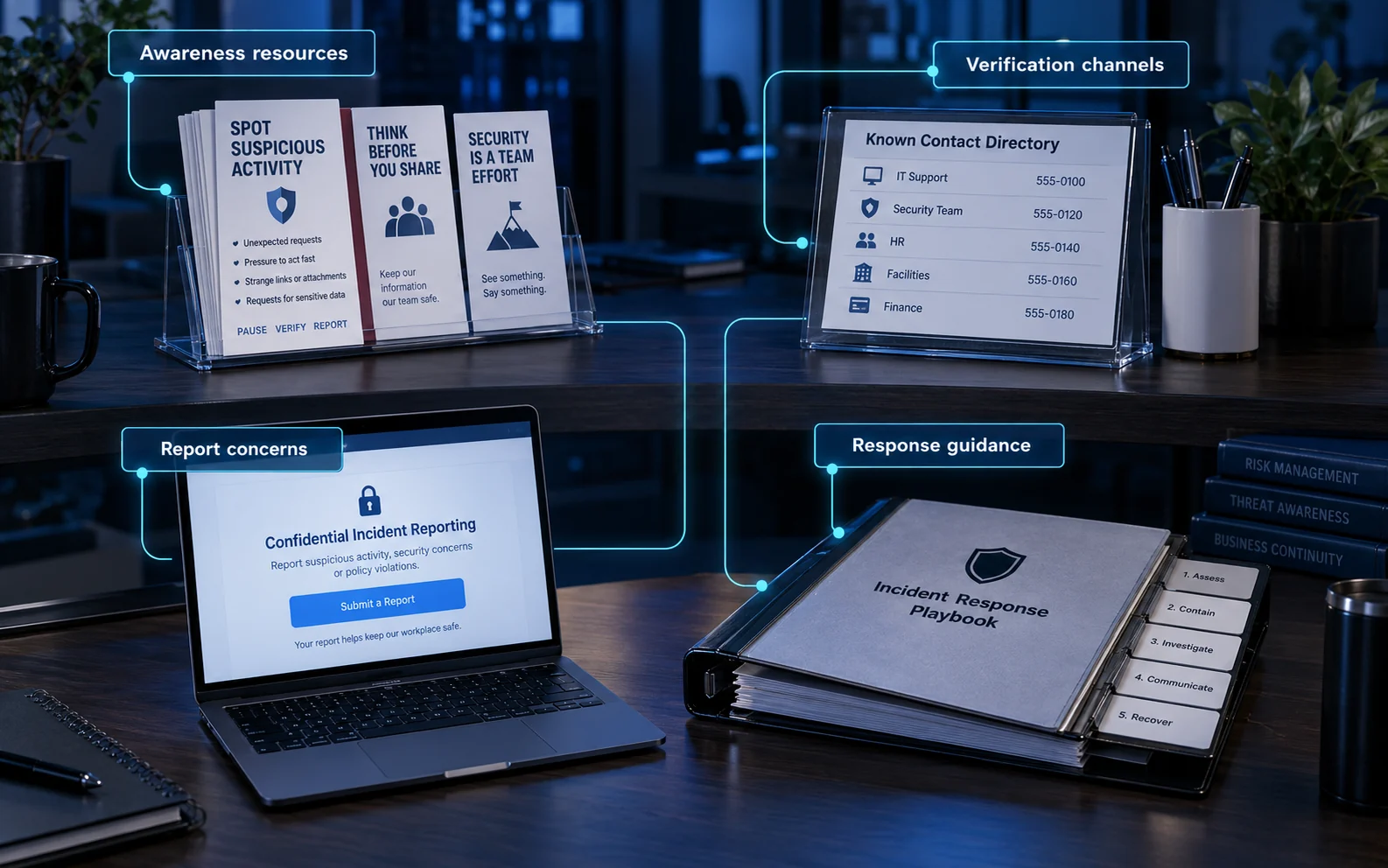
Give staff a small, maintained set of resources they can find when under pressure. Make them available during induction and after a role change, and provide an alternative if the usual account or collaboration tool is unavailable.
| Resource | What to provide | Keep it useful |
|---|---|---|
| Awareness resources | Short examples relevant to payments, account recovery, visitors and sensitive files. | Update examples when the workflow changes. |
| Verification channels | A trusted directory for IT, security, finance and approved suppliers. | Name an owner and test an out-of-hours or account-outage fallback. |
| Reporting route | A simple way to report a concern or an action already taken. | Explain who receives it, how urgent reports are handled and what feedback to expect. |
| Response guidance | Role-specific first actions, escalation contacts and evidence-handling instructions. | Rehearse the process and revise it after incidents and exercises. |
Combine detection tools with human review
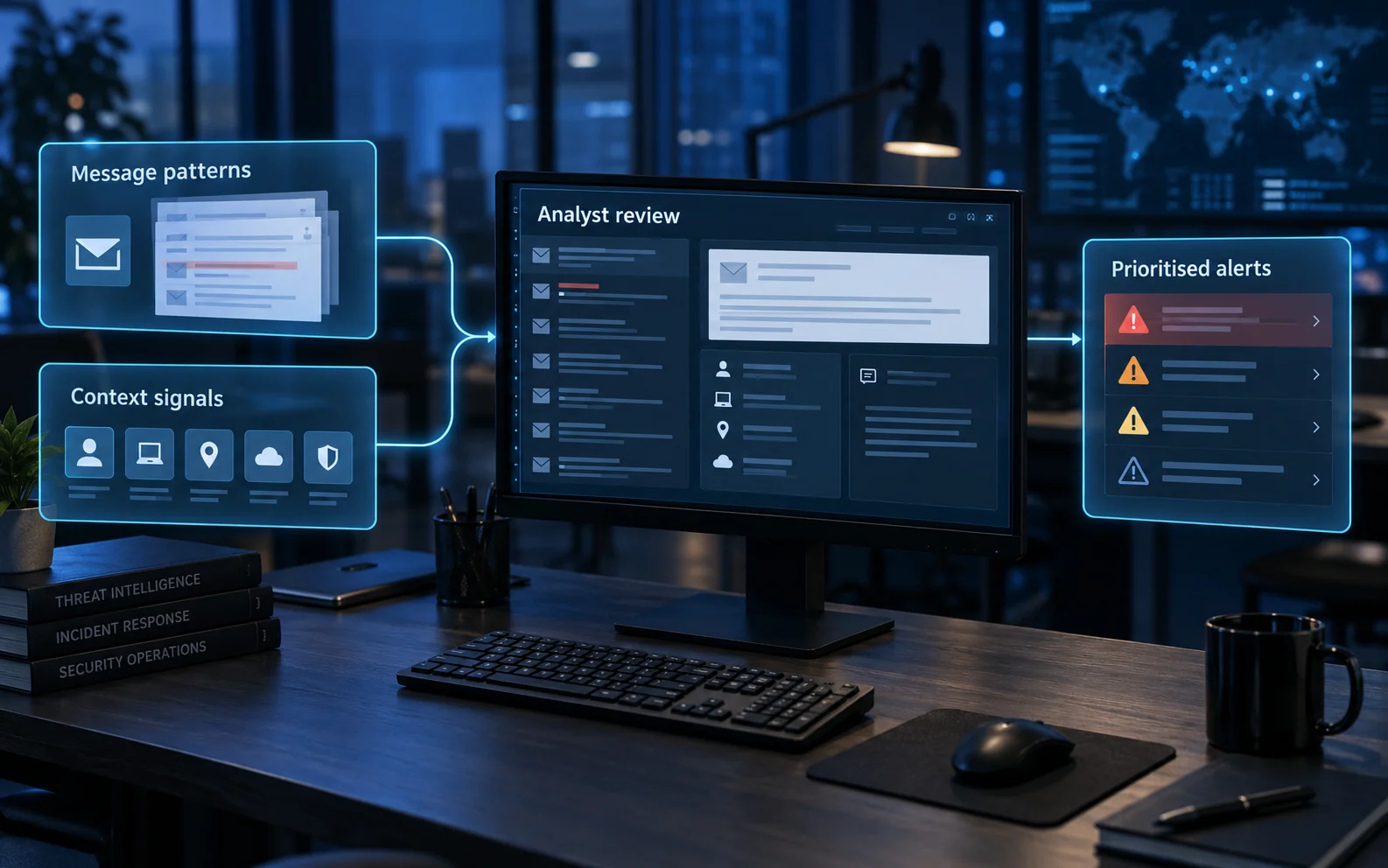
Use email and endpoint protections alongside reports from staff. Message patterns, account activity and device signals can help identify an unusual request, but an alert is a lead to investigate, not proof that a person has done something wrong. Give the reviewing team enough context to check the request, prioritise the risk and decide who should act.
Define who receives alerts and how urgent concerns reach them. Collect only relevant information, restrict access to the records and review recurring false alarms. This supports the NCSC’s layered approach to phishing defence: technical controls, usable reporting and an effective response work together.
If someone has already acted
Report promptly; early reporting is more useful than assigning blame. Record what was requested, what was shared or changed and when it happened. Preserve messages and relevant logs without forwarding malicious content widely.
If credentials or approvals were provided, contact the security or IT team through a trusted route. They may need to revoke sessions, remove new authentication methods and inspect mailbox rules or connected applications. If money moved, contact the bank immediately. For files or personal data, assess exposure and notification duties rather than assuming deletion at one destination resolves the issue.
The phishing response guide gives specific actions for suspicious links, attachments, passwords and payments.
Close the response loop. The security team should validate the available evidence, take proportionate containment action and record the outcome. Afterwards, identify the process or control that needs to change, assign an owner and check that the change works. A supportive debrief improves future reporting and response.

Preserve evidence and coordinate the response
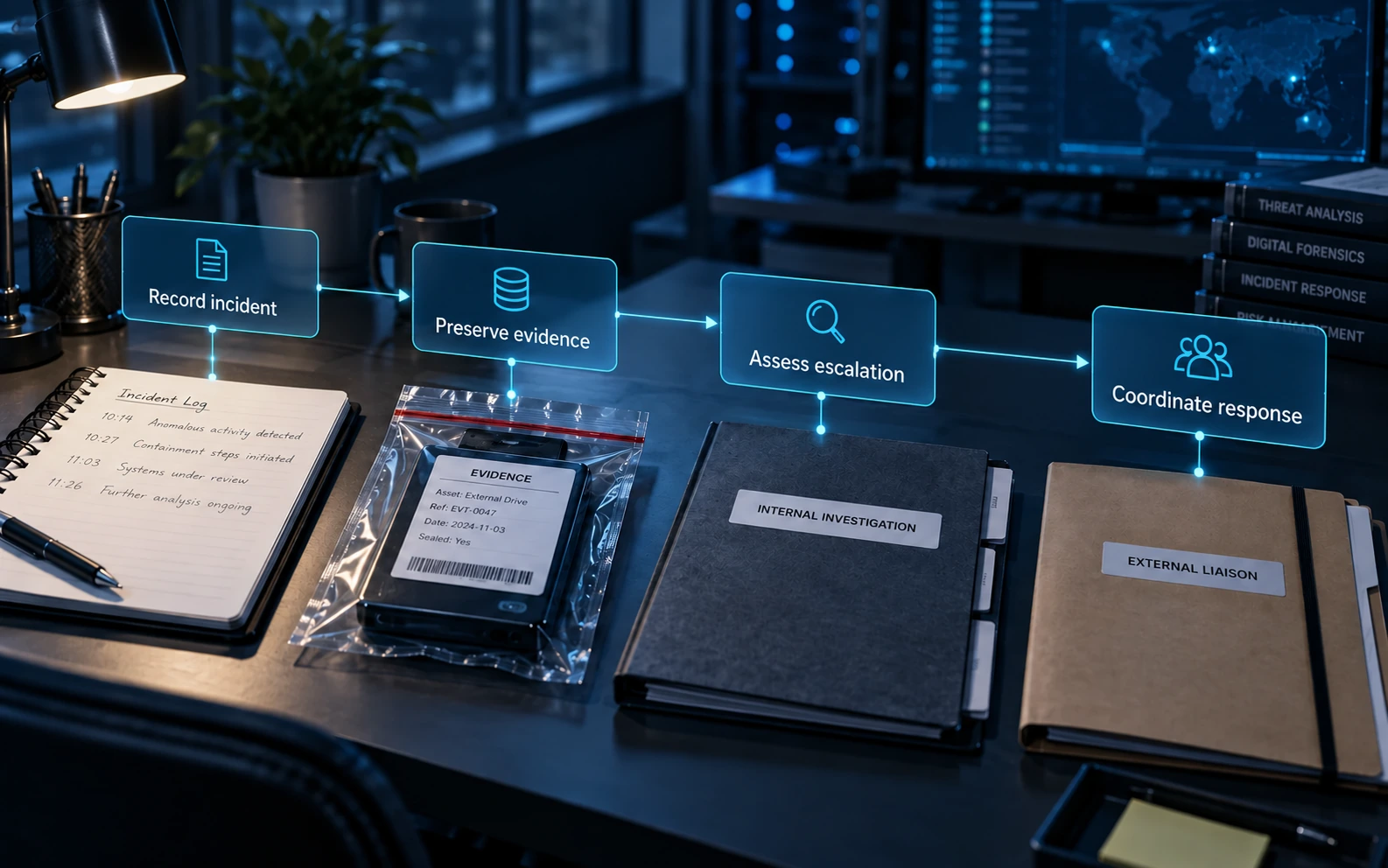
Assign an incident lead so IT, finance, privacy, communications and external contacts work from the same record. Urgent containment and bank contact can happen alongside evidence collection; do not wait for a perfect incident file before seeking help.
- Record: the request, time and time zone, channel, affected account, action taken and people already notified.
- Preserve: original messages, available headers, relevant logs, transaction references and screenshots. Avoid altering originals or circulating sensitive material widely.
- Handle safely: ask the response team how to retain devices and files. Do not run suspicious attachments, reconnect unknown media or erase a device to investigate it yourself.
- Coordinate: keep an action log, owner and next update time. Share only the information each recipient needs through an agreed secure route.
Who should receive an external report?
Internal escalation, bank contact, police reporting and regulatory notification serve different purposes. One does not replace the others.
- Money or account access at risk: contact the bank or payment provider immediately through a known route. Recovery is not guaranteed.
- Suspicious messages: use the organisation’s reporting process and the official UK routes for suspicious emails, texts and websites.
- Fraud or cybercrime: Report Fraud covers England, Wales and Northern Ireland. In Scotland, contact Police Scotland on 101; use 999 for an emergency.
- Other affected parties: check relevant customer, supplier, insurer and sector-specific reporting obligations. Use a named liaison and keep a record of what was shared.
Share useful lessons with suppliers or trusted industry groups after checking accuracy, confidentiality and personal-data handling. Separate confirmed facts from assumptions and remove details the recipients do not need.
When does a personal-data breach need reporting?
Not every attempted scam is a personal-data breach. If one has occurred, the controller must assess the risk to individuals. Under UK GDPR, notify the ICO without undue delay and, where feasible, within 72 hours of becoming aware, unless the breach is unlikely to risk people’s rights and freedoms. Where there is likely to be a high risk, inform affected individuals without undue delay, subject to applicable exceptions.
Record every personal-data breach and the reporting decision. Incomplete information does not justify waiting: an initial notification can be supplemented. A processor must inform its controller without undue delay. Involve the privacy lead or DPO and check other applicable duties. See the ICO’s breach-reporting guidance.
Make remote-work and reporting procedures usable
Remote staff need a known way to reach the service desk and approvers without relying on a number or link in the suspicious message. Keep a trusted directory and an alternative contact route for an account outage. Verify unexpected invitations to install remote-control software, share screens or approve an authenticator change.
For an urgent finance request during a video call, pause the consequential action and obtain the usual independent approval. Do not treat a convincing call as an exception to the payment process. For a visitor or delivery, route the person through reception or the named host.
Teach role-specific situations to finance, support, HR and reception, including what to do after making a mistake. Measure how quickly staff report and whether the organisation can act on the report. A simulation click rate alone does not explain whether verification, containment and recovery work.
Review access and actions objectively when an account appears to have been misused. Being deceived does not establish that a colleague is a malicious insider. Any monitoring or simulation should have a defined purpose, proportionate scope, controlled records and appropriate privacy review.
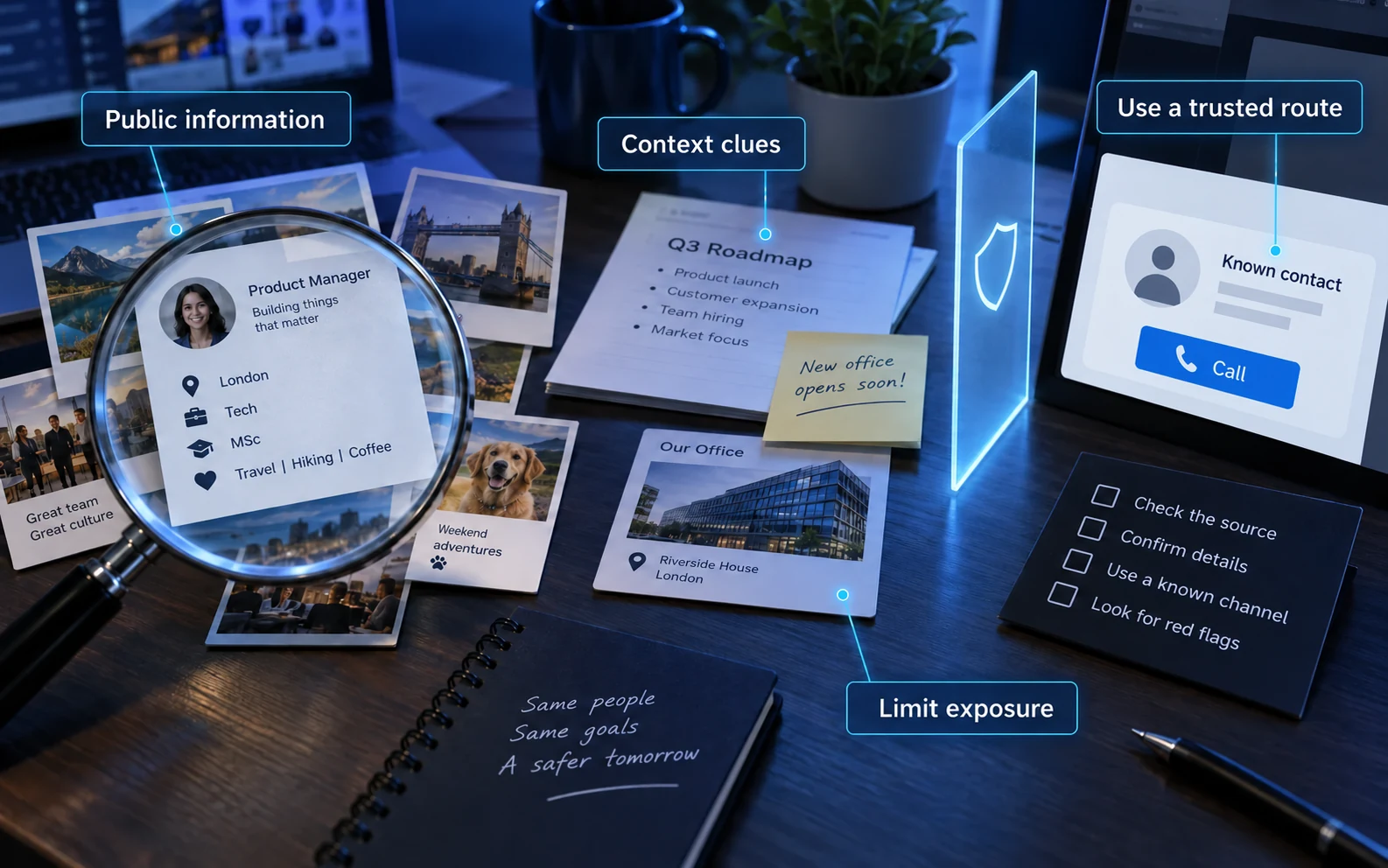
Review what an impersonator can learn publicly. Check company pages, staff biographies, social posts and supplier announcements for unnecessary information about reporting lines, internal processes or sensitive work. Keep useful public contact information, but remove obsolete or excessive detail and help staff review relevant privacy settings. Include what partners publish about your organisation.
This reduces material available for tailored pretexts; it does not make messages trustworthy. Someone knowing a colleague’s name, a supplier or a real project must still pass the normal verification process.
Further guidance: NCSC: Phishing attacks—defending your organisation.
Maintain the home-working baseline. Use approved, updated devices and remote-access services; keep the home router supported and its administrative credentials protected. These measures help protect the environment, but a secure connection does not prove a caller’s identity or authorise a request.
Run fair, safe simulations
Define the learning question before choosing a scenario. Assess whether the workflow verifies a supplier change or whether the service desk follows recovery controls, not simply how many people click a link.
Agree written authority, safety boundaries, personal-data handling, permitted channels and appropriate staff or representative consultation. Use controlled destinations and minimise collection; do not harvest real passwords or create unnecessary distress. Make reporting easy and explain lessons constructively.
Measure independent verification, reporting quality, response time in context and whether controls worked. A click rate alone does not measure security or justify naming and shaming individuals. Repeat targeted exercises after the process has improved.
Turn training into an improved process
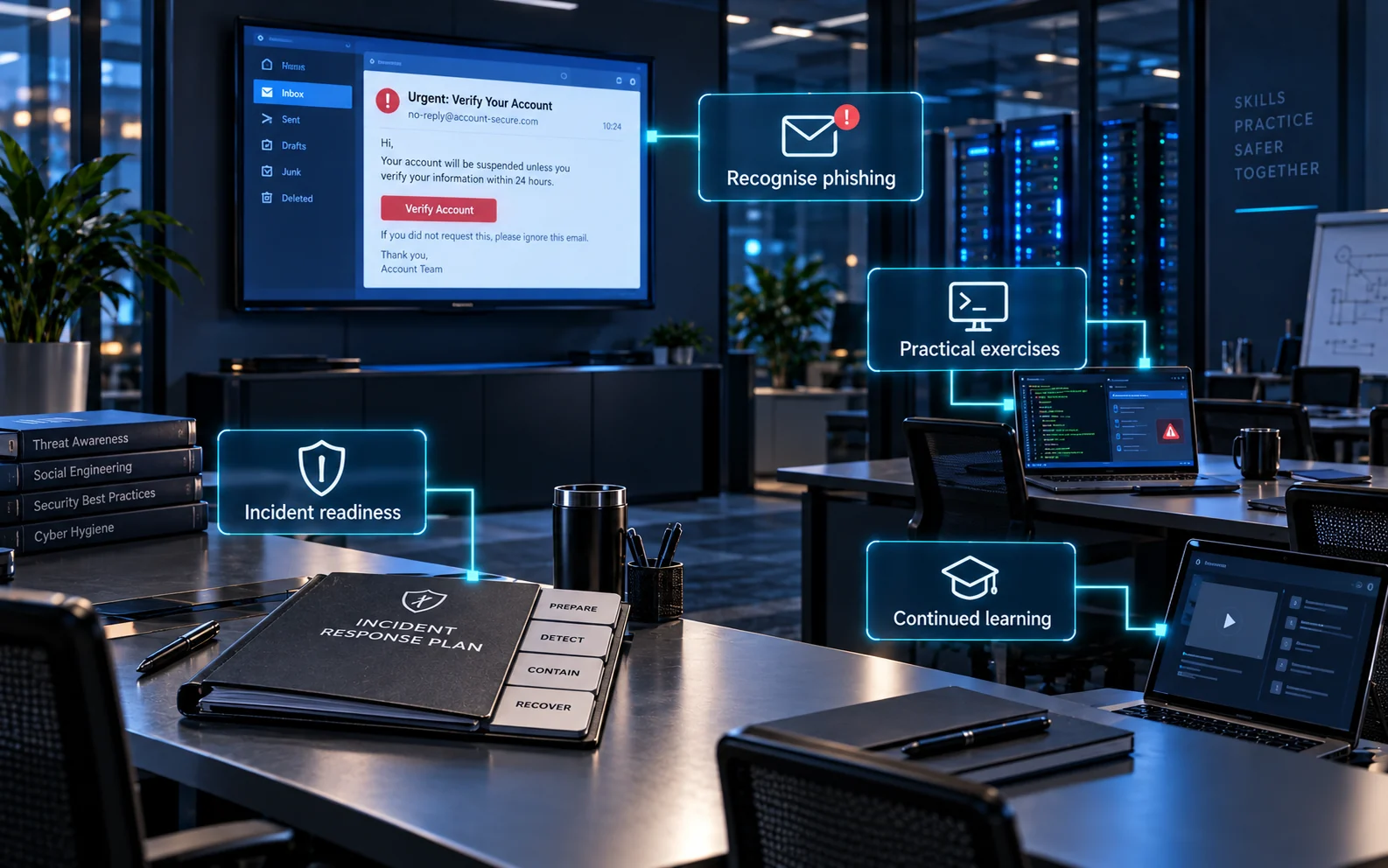
Include new starters, contractors and people changing roles. Practise a relevant decision, such as a supplier change or account recovery, and refresh it when the process changes. Use reports and near misses to identify confusing procedures, delayed approvals or missing contacts. Assign an owner to each improvement and check it again in a later exercise.
For staff monitoring, establish a lawful basis and a clear purpose, assess necessity and proportionality, and explain the monitoring to workers. Limit the information collected and its retention. Complete a DPIA before processing likely to create high risk. Follow the ICO’s worker-monitoring guidance; a security objective is not permission for unlimited surveillance.
Common questions
Can awareness training prevent every attack?
No. Combine learning with technical protections, clear authority, independent verification and supportive reporting. Good processes reduce the harm from an understandable mistake.
Is a callback enough?
Only if it uses a trusted, independently obtained contact route and verifies the actual change. Calling a number provided in the suspicious message simply returns you to the attacker.
Can AI make impersonation more convincing?
Yes, but the underlying control remains the same: verify consequential requests independently. Do not use perceived voice quality or fluent writing as proof of identity.
Further guidance
Ofcom: scam calls, texts and messages · UK reporting routes · How social engineering can fit an authorised red-team exercise
Need Help?

If you have any questions about cyber security or would like a free consultation, don't hesitate to give us a call!
For More Information Please Contact Us
ACCREDITATIONS