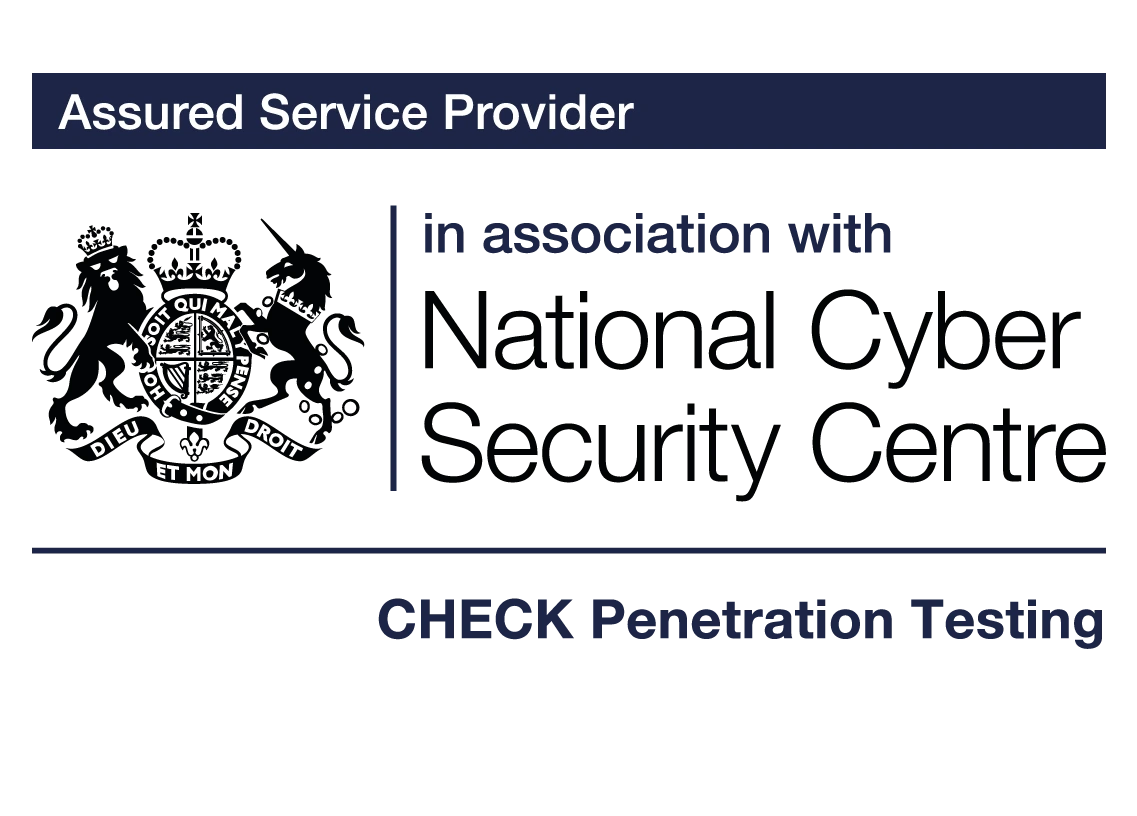
Phishing: recognise the request and act quickly
Phishing uses deceptive messages or interactions to obtain access, information or money. It can involve email, texts, calls, QR codes, social media or a genuine account that has been compromised. A familiar logo, fluent writing or known sender is not proof that a request is safe.
If you have already clicked, shared information or sent money, use the immediate actions below. Prompt reporting helps the organisation contain harm; you do not need to prove an attack before raising a concern.
Reviewed: 26 October 2026.
Already clicked or responded? Start here
| What happened | Immediate action |
|---|---|
| Opened a link but entered nothing | Close the page. Report it through your organisation’s trusted route and describe what happened. A click alone does not prove compromise; IT can assess the device and logs. |
| Entered a password or approved an MFA prompt | Contact IT/security immediately through a known route. From a trusted device, follow their recovery instructions. Reset exposed credentials and investigate sessions, tokens and added authentication methods. |
| Opened an attachment, ran software or allowed remote access | Stop interacting with it and contact IT/security. Follow containment instructions; avoid wiping the device or deleting evidence. |
| Sent money or changed bank details | Contact the bank immediately using a verified number, then notify finance/security. Preserve transaction and communication details. |
| Disclosed personal or confidential information | Tell the responsible team what was shared and with whom. Assess exposure and relevant notification duties; a password reset does not undo disclosure. |
Do not approve further prompts or call a “support” number supplied by the suspicious message. If an account is compromised, password changes alone may leave active sessions, forwarding rules or malicious application permissions in place.
Different channels, the same attempt to gain trust
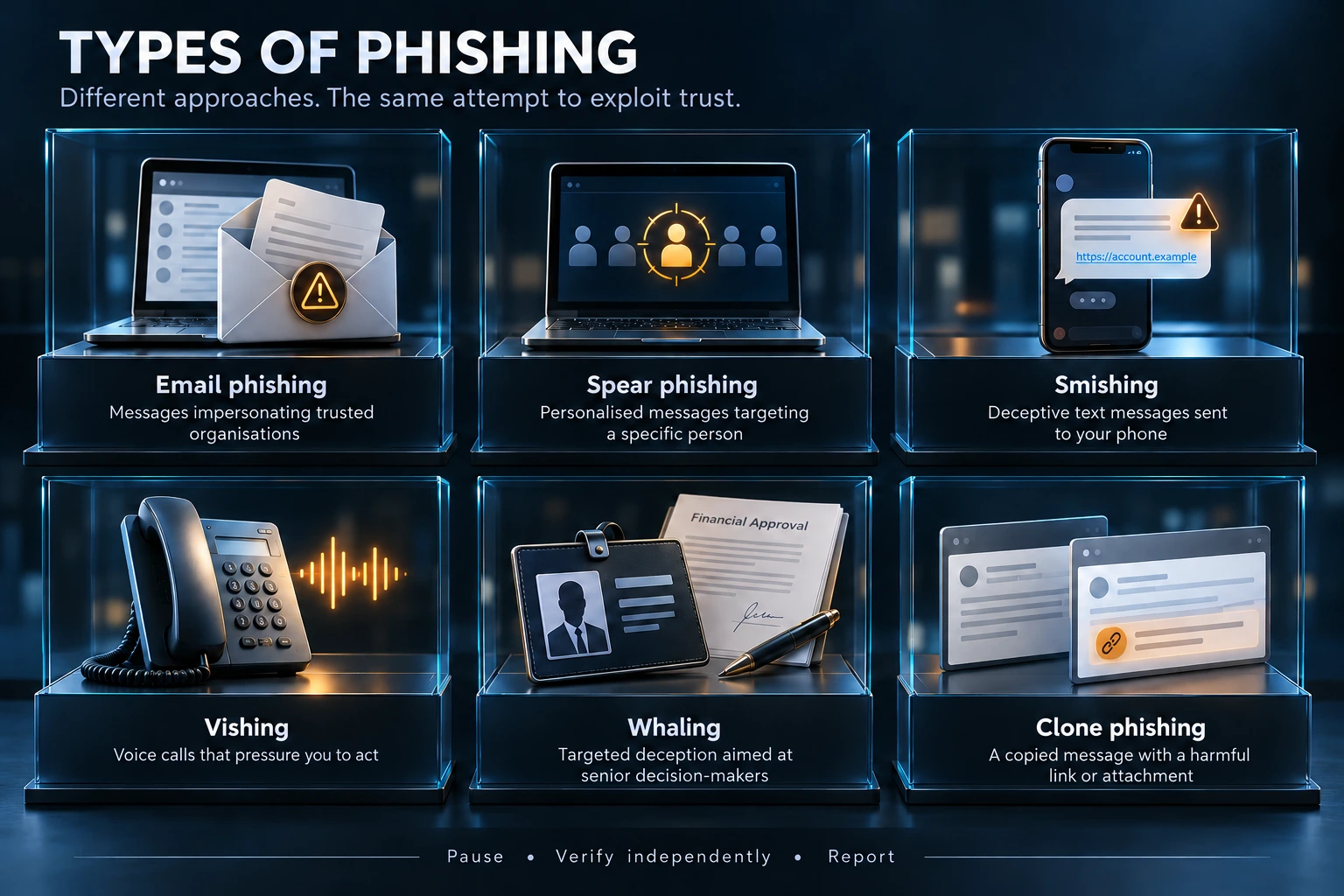
| Term | Typical pattern |
|---|---|
| Email phishing | A broad deceptive message asks recipients to sign in, open a file or act. |
| Spear phishing | A targeted message uses details about a person, role or organisation. |
| Whaling | Targeting senior people or high-value decisions, often payments or sensitive information. |
| Smishing / vishing | Deception through texts or voice calls. |
| Clone phishing | A familiar-looking message or document is copied and altered to carry a malicious destination. |
| QR phishing | A QR code directs the user to a deceptive site; the code is a delivery method, not evidence of legitimacy. |
Check the action, not just the appearance
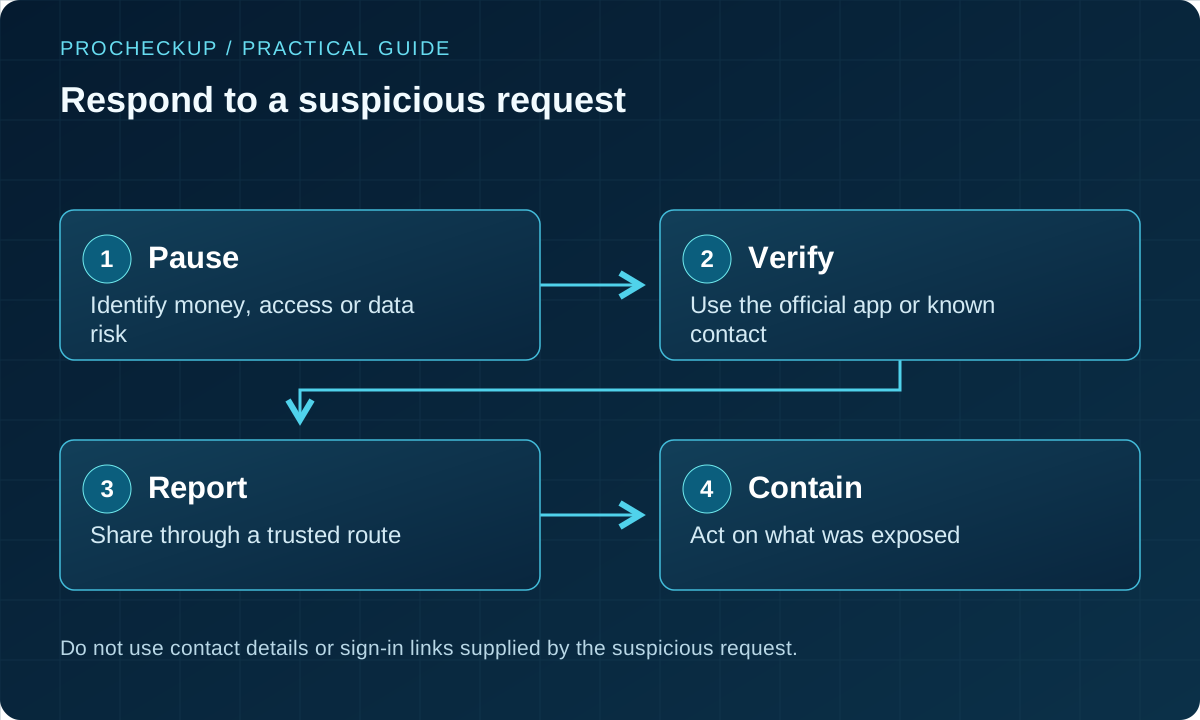
- Open the organisation’s app or type a known address instead of following an unexpected login link.
- Verify payment changes, new devices and urgent access requests using an independent, established contact.
- Treat unexpected MFA prompts as a warning; do not approve them to make them stop.
- On mobile, take extra care with shortened previews and QR destinations. Avoid entering credentials until the service and action are verified.
- Report suspicious messages using the approved workflow. Do not forward attachments widely or engage with the sender to investigate.
How attacks have evolved
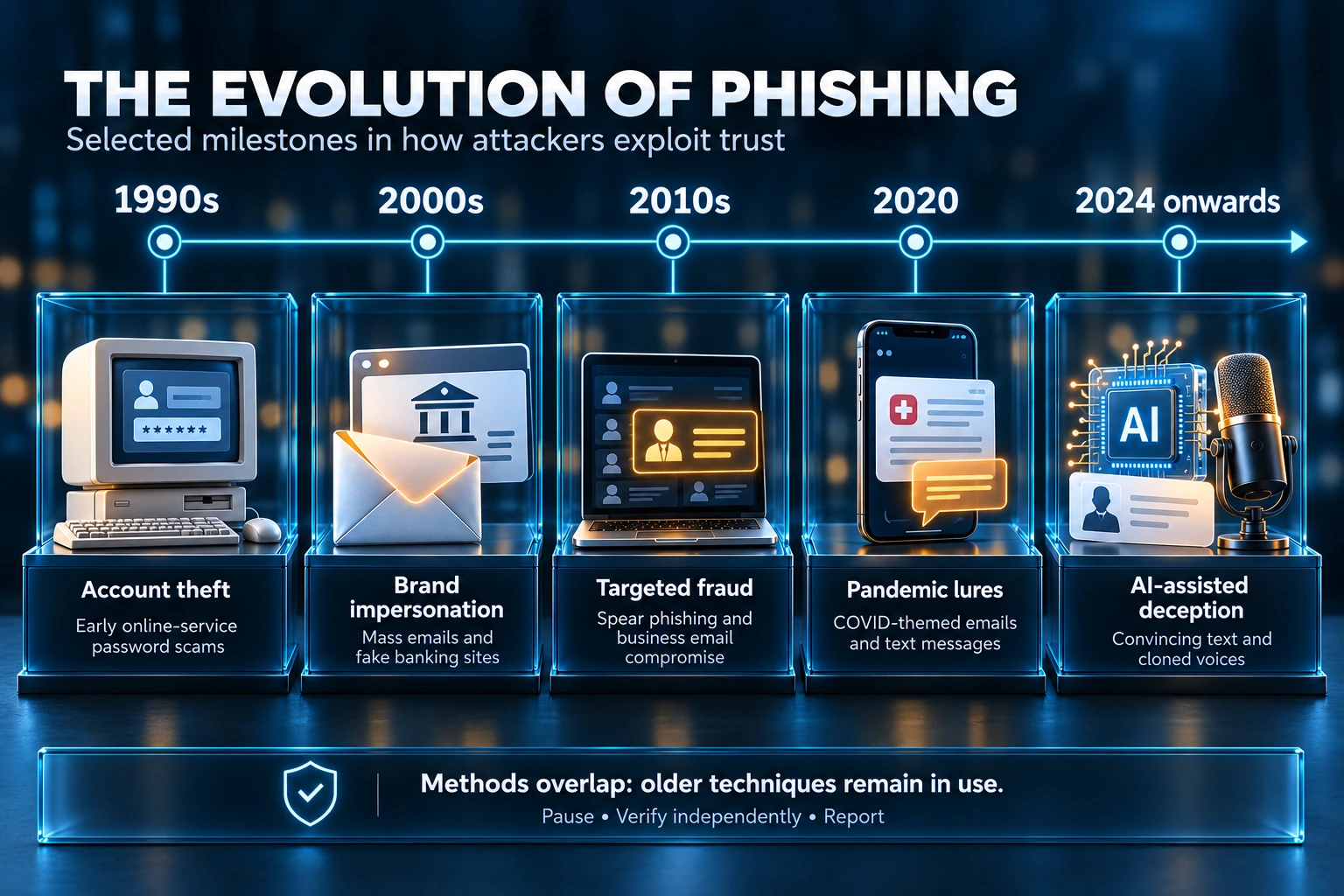
Older methods remain in use while attackers add targeted research, compromised collaboration accounts, adversary-in-the-middle sign-in pages and generated content. The timeline illustrates selected developments; it is not a claim that every campaign follows the same stages.
In a 21 January 2026 investigation, Microsoft described a multistage campaign involving SharePoint links, adversary-in-the-middle phishing and business email compromise. The lesson is to investigate the session and mailbox activity as well as the password. Microsoft’s campaign analysis.
New Zealand’s NCSC highlighted QR-code scams in its second-quarter 2026 insights. This is a dated example of QR delivery risks, not a UK prevalence statistic. NCSC New Zealand: think before you scan.
Mobile, social media and connected accounts
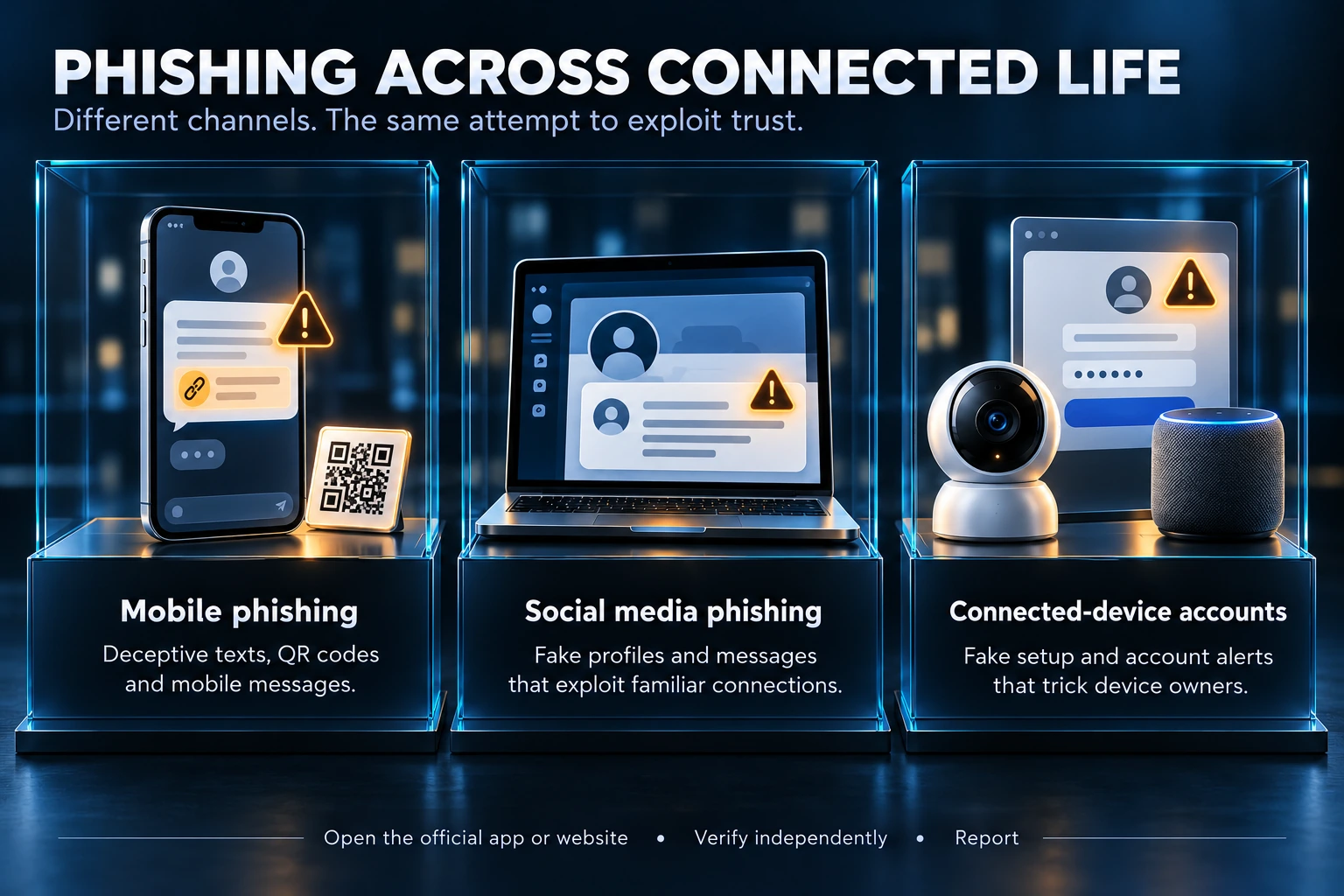
A fake parcel notice, social-media support message or connected-device account warning can lead to the same credential theft. Open the official application or service directly. Verify requests to move a conversation, share a code or install a new tool.
For business accounts, protect recovery email addresses and phone numbers, delegated access and third-party applications. An attacker may use one compromised account to send believable requests to colleagues or customers.
Use layers of protection and rehearse the response
| Layer | What it helps with | Limit |
|---|---|---|
| Email authentication and filtering | SPF, DKIM, DMARC and filtering reduce some spoofing and malicious delivery. | They do not prove the honesty of a message from a compromised account or lookalike domain. |
| Phishing-resistant authentication | Suitable passkeys/security keys reduce credential phishing against the legitimate service. | Endpoints, recovery routes and authenticated sessions still need protection. |
| Payment and access workflows | Independent verification and approval restrict consequential actions. | Controls must survive urgency and senior-person impersonation. |
| Detection and response | Alerts, reporting and investigation can contain compromise. | Signals need an owner, retained evidence and authority to act. |
| Practice and feedback | Safe exercises develop recognition and reporting. | Click rates alone do not measure resilience; avoid blaming individuals. |
Test a realistic response: can a user report quickly, can IT revoke affected access, and can finance stop an unauthorised payment? Record improvements and repeat the exercise.
How the technical protections fit together
Email controls work at different points. SPF helps receivers check whether a sending server is authorised for an envelope domain. DKIM adds a domain-linked digital signature to a message. DMARC checks alignment with the visible From domain and lets domain owners publish handling policies and receive reports. None proves that a request from a compromised legitimate mailbox is honest.
Before tightening a domain policy, inventory legitimate senders such as marketing, payroll and support systems. Review reports, correct authorised sending arrangements and test important mail flows. Assign someone to maintain the configuration when suppliers change. Use NCSC’s email security and anti-spoofing guidance for deployment detail.
Filtering, attachment checks and protective browsing can reduce delivery or access to malicious content. They may miss new or context-dependent attacks. Device updates reduce exposure to known flaws, while appropriate application controls limit what can run. These measures complement independent verification of payments and sensitive changes.
For a reported message, the response team should check whether other recipients received it, whether anyone entered credentials or approved access, and whether the affected account gained new forwarding rules, sessions or app permissions. Preserve useful evidence through approved tools; avoid forwarding live malicious content widely or visiting a suspicious link simply to investigate it.
Report suspicious messages in the UK
Forward suspicious emails to report@phishing.gov.uk. Report suspicious texts by forwarding them to 7726. Use your organisation’s reporting route as well, particularly where a work account or device is involved. Official UK reporting guidance.
If money has been lost, contact your bank promptly and follow the current official fraud-reporting route for your location. Reporting a suspicious email is not the same as reporting a financial loss. Ofcom’s scam response guidance.
Common questions
Does a padlock or HTTPS mean a site is genuine?
No. It protects the connection to that site; attackers can also obtain HTTPS certificates. Verify the destination and purpose independently.
Can good spelling or a familiar voice prove a message is safe?
No. Attackers can write well, use generated media or compromise genuine accounts. Verify requests involving money, access or sensitive information.
What should we include in a report?
The message, time, action taken and information or access exposed, using the approved reporting channel. Do not delay reporting because you are uncertain.
Related guidance
Payment, helpdesk and supplier verification · Authentication and session protection
Need Help?

If you have any questions about cyber security or would like a free consultation, don't hesitate to give us a call!
For More Information Please Contact Us
ACCREDITATIONS