ISO 27001:2022 Annex A explained
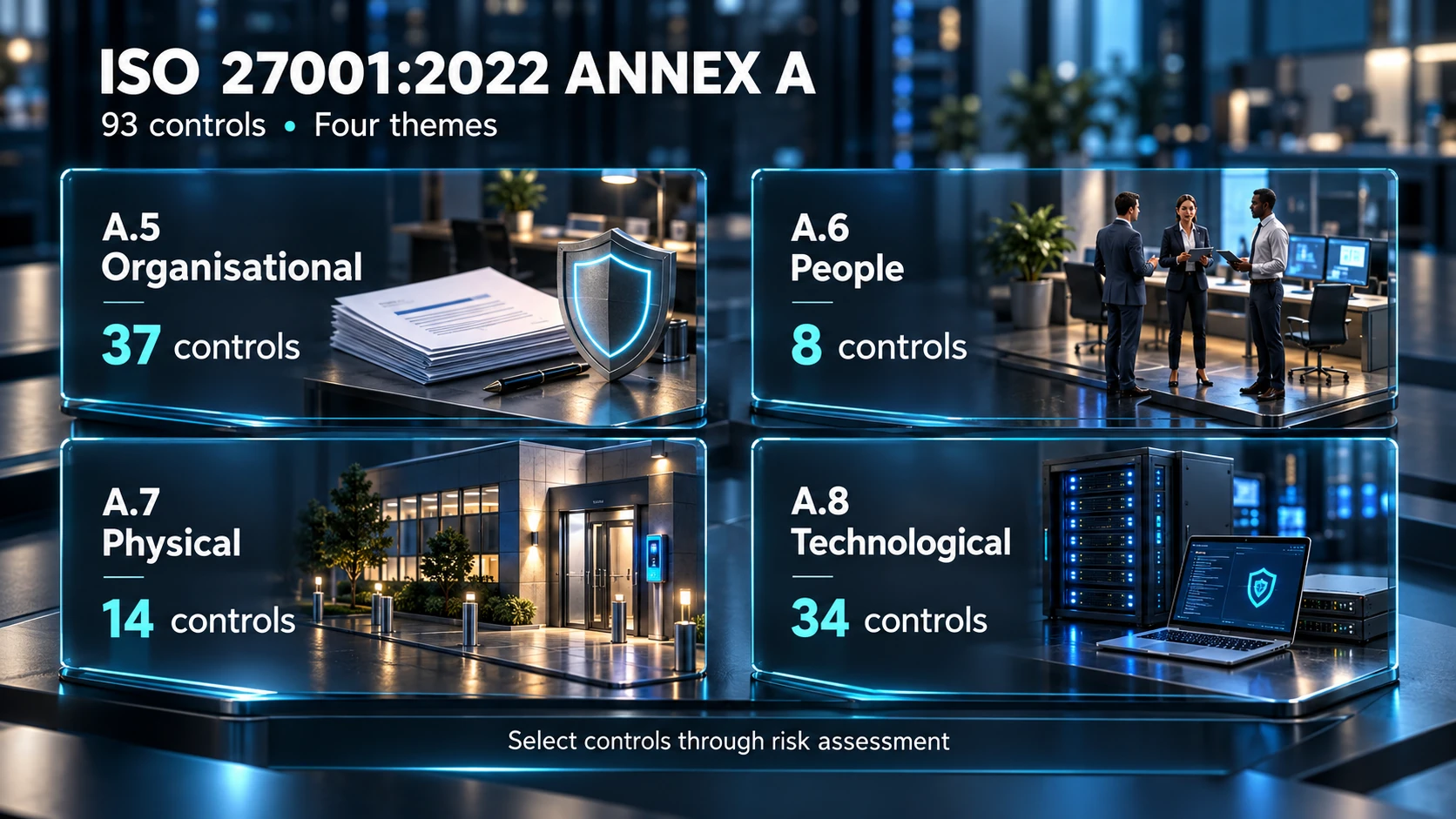
Annex A is the reference set of information security controls in ISO/IEC 27001:2022. It contains 93 controls in four themes: organisational, people, physical and technological. It supports risk treatment within an information security management system (ISMS).
The aim is to choose and operate controls that address your organisation’s risks and obligations, then show why those controls are appropriate. Annex A is not a substitute for the wider management-system requirements or a checklist that guarantees security.
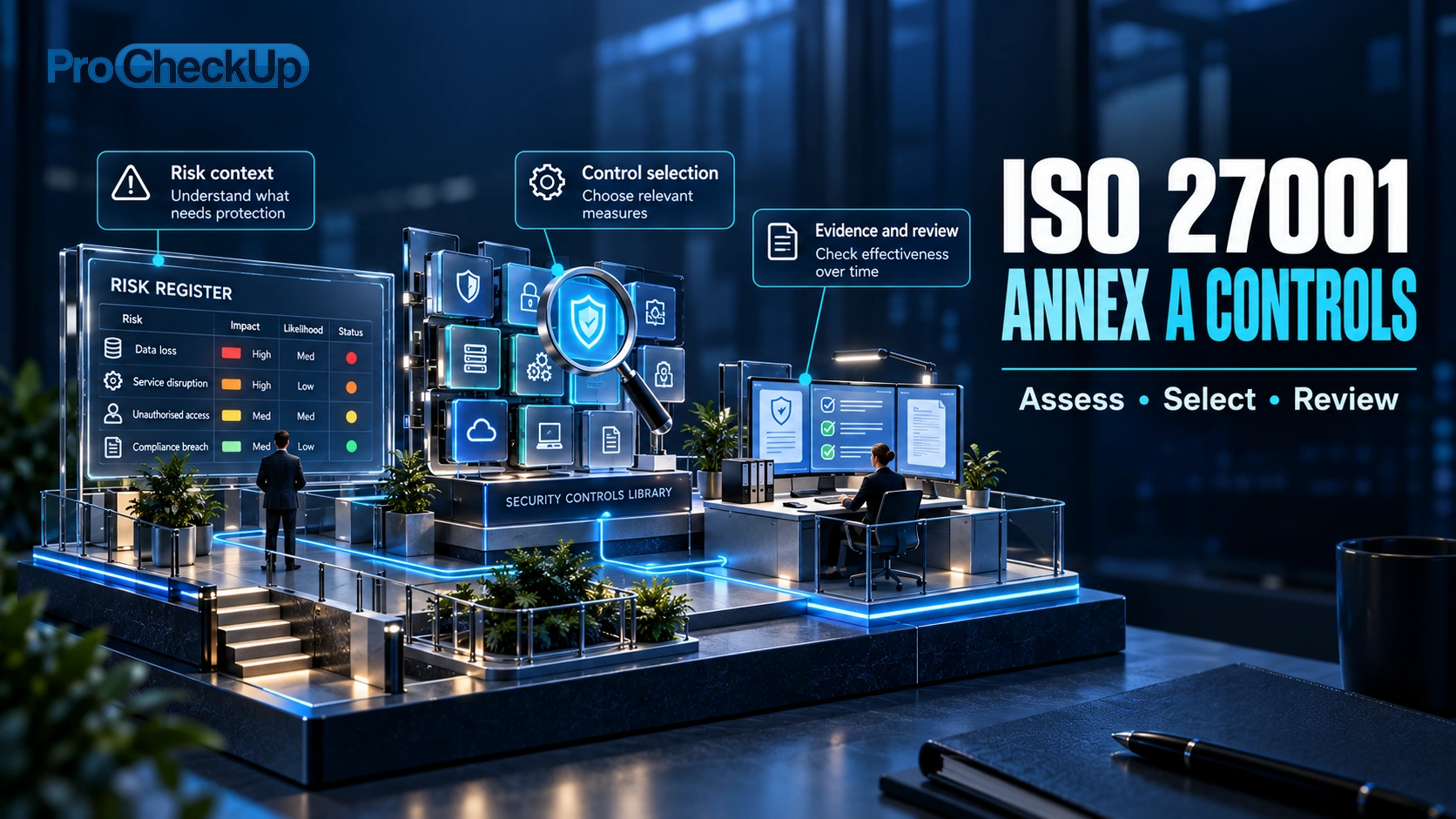
The practical route: define what you need to protect, assess the risks, select suitable controls, assign owners, put them into operation and check the evidence. Use the theme guide below to understand the work involved, then follow the implementation steps. A control is a measure that changes risk; it may be a process, a physical safeguard or a technical setting.
The four Annex A themes
Theme | Control references | Count | Illustrative subjects |
|---|---|---|---|
Organisational | A.5.1–A.5.37 | 37 | Policies, responsibilities, suppliers and incident management. |
People | A.6.1–A.6.8 | 8 | Employment-related responsibilities, awareness and reporting. |
Physical | A.7.1–A.7.14 | 14 | Premises, physical access, equipment and media. |
Technological | A.8.1–A.8.34 | 34 | Identity and access, systems, networks and secure development. |
This is the 2022 structure. Older guidance may use the 2013 edition’s 14 domains and different numbering. Do not apply an old control number to the new edition without checking its mapping. See the ISO committee journal on the 2022 controls.
The four themes organise the reference controls; they are not four separate projects. For example, secure access depends on management approval, staff responsibilities, physical entry and technical permissions working together.
How do risks lead to controls?
Start with your ISMS scope, business activities, information and obligations. Assess what could go wrong and the consequences. Select treatment options and determine the controls needed to carry them out, then compare those controls with Annex A to check that necessary controls have not been overlooked.
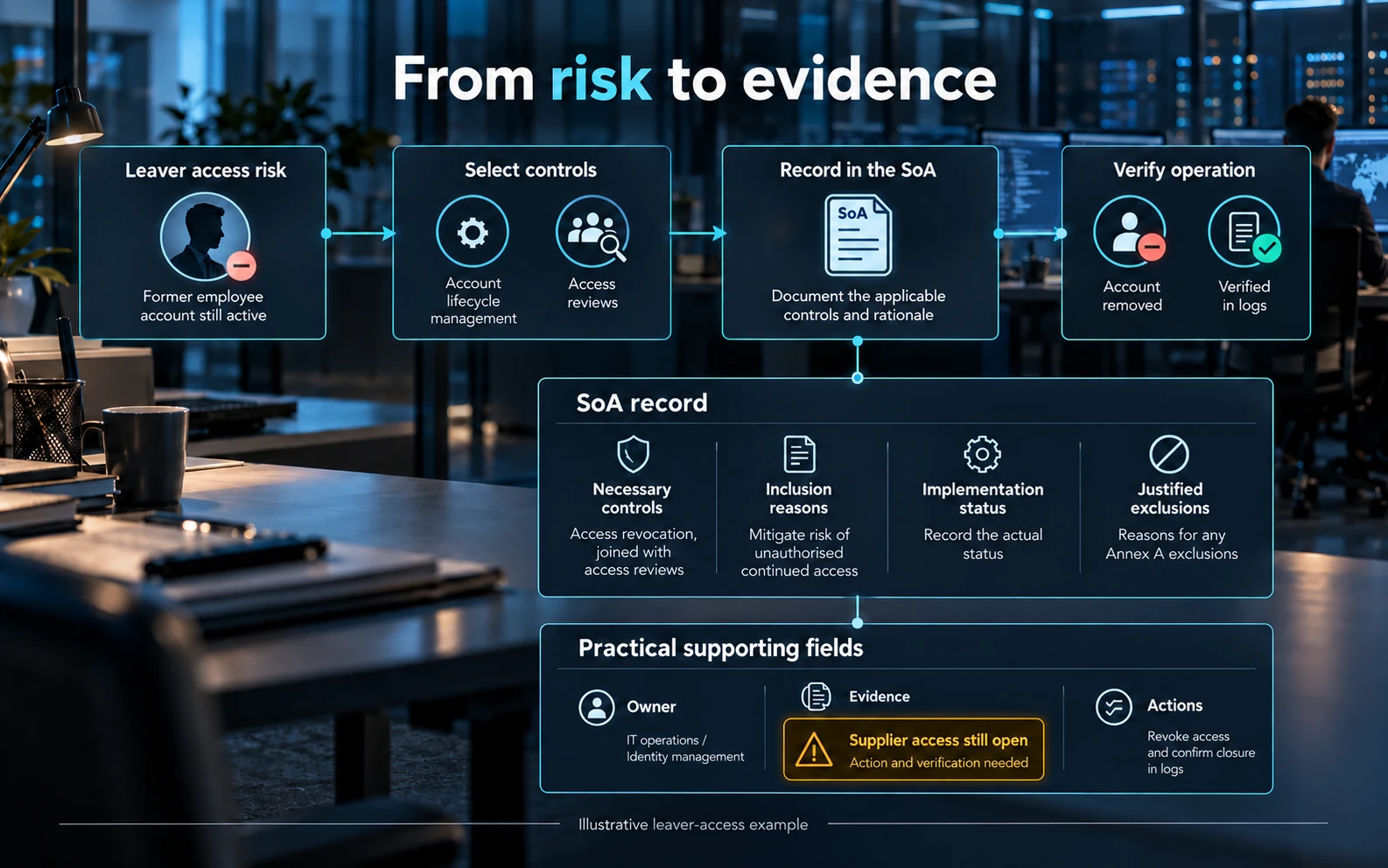
For example, an organisation may identify a risk that departing staff retain access to customer data. Its response could combine a leaver notification process, assigned removal responsibilities, technical account revocation and a check that access was actually removed. The evidence should demonstrate the whole process, not just a written policy.
Controls outside Annex A may also be necessary. A control is not automatically unsuitable because it is absent from the reference list, and a product purchase alone does not demonstrate that a risk has been treated.
What belongs in the Statement of Applicability?
The Statement of Applicability (SoA) explains which controls are necessary, why they are included, whether they are implemented, and why any Annex A controls are excluded. It connects the risk treatment decisions to the controls the organisation actually operates. Controls outside Annex A may be necessary too.
The ISO auditing-practices note explains the purpose of this record. There is no prescribed spreadsheet layout. Owner, evidence and action columns are useful additions to the required information.
Worked example: a business identifies a risk that former staff could continue to access customer records. An entry for A.5.18 could be developed as follows. The example is illustrative; your actual risk and implementation status must determine the record.
Record | Example entry |
|---|---|
Control and reason for inclusion | Access rights — A.5.18. Customer records must be restricted to authorised staff; leaving or changing role can leave unnecessary access. |
Implementation status | The account-removal procedure operates, but supplier-portal access is not yet covered. Record the actual status and this gap; do not mark all access as complete. |
Owner and method | HR notifies the line manager and IT; the service owner confirms the permissions to remove. A named owner checks supplier access. |
Evidence reference | A completed leaver ticket showing notification, revoked accounts and sessions where relevant, and independent verification of removal. |
Action and verification | Add supplier portals to the process, assign a due date and review a subsequent leaver case to confirm the gap is closed. |
For an exclusion, explain why a control is unnecessary in the defined scope after considering risks and obligations. “We have not implemented it” is a gap, not a reason for exclusion. “Our supplier does it” still requires consideration of supplier responsibilities and your oversight.
Keep the risk register, treatment plan, SoA and evidence consistent. If a new cloud service changes access, data handling or recovery, assess which records and controls must change together.
What should we put in place under each theme?
The following is a practical selection of topics to help plan the work. It is not the complete 93-control catalogue. The reference numbers identify related controls; the implementation and evidence suggestions are examples to adapt to your risks, not a prescribed product list or additional certification requirements. Use ISO/IEC 27002 for implementation guidance alongside the applicable ISO 27001 requirements.
A.5 — Organisational controls: decisions, responsibilities and processes
Purpose: make security part of how the business makes decisions and runs its services. The ISMS lead coordinates this work, but business owners, procurement, legal and operational teams need to own the measures relevant to them.
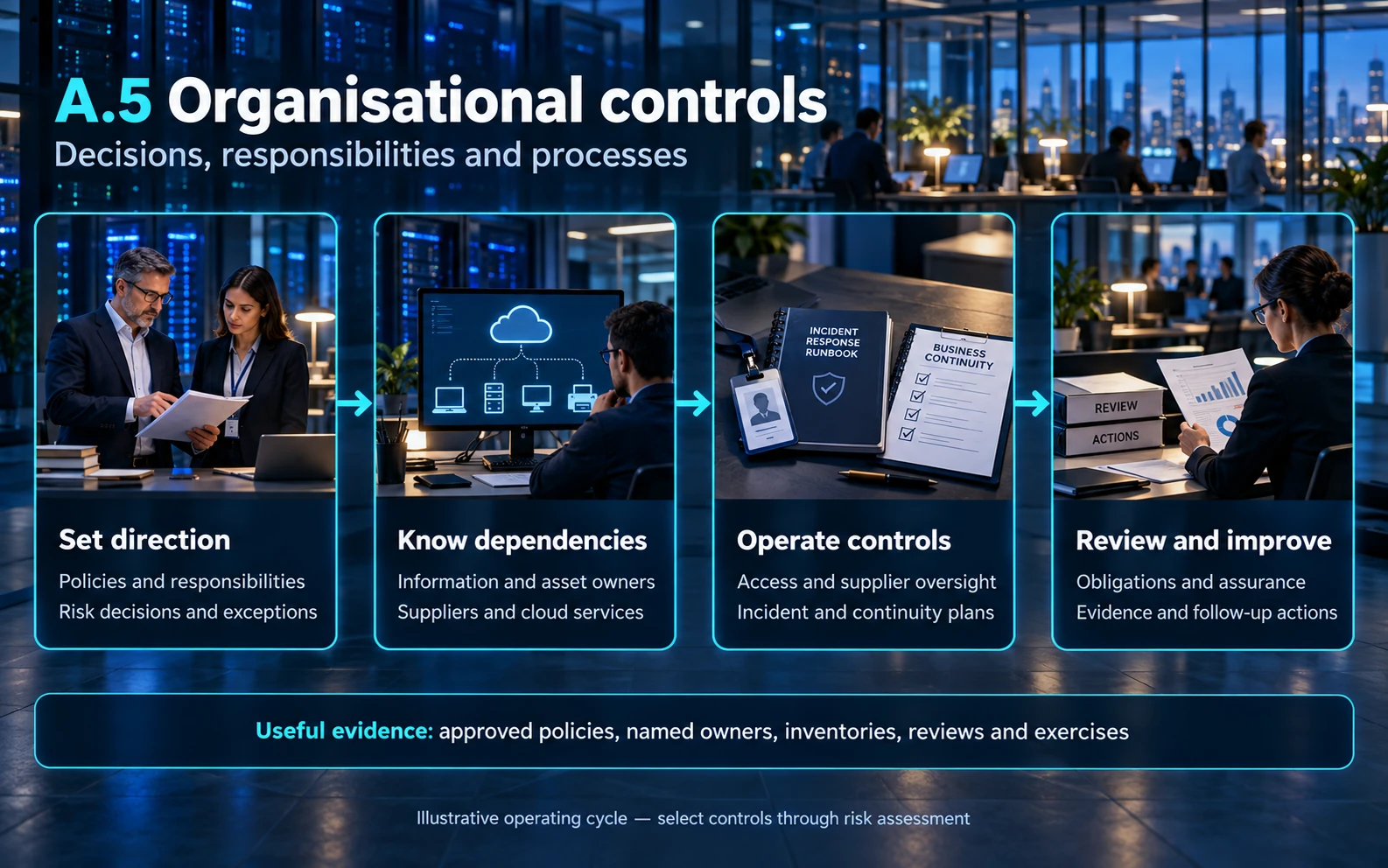
Set direction and accountability. Examples: A.5.1–A.5.4.
Agree what information matters, approve usable policies and assign authority for exceptions and risk decisions. Separate incompatible responsibilities where needed; if a small team cannot separate them fully, consider an independent review or approval.
Useful evidence: Approved policies, named responsibilities and records showing who reviewed an exception or authorised a sensitive action.
Know the information and services you rely on. Examples: A.5.9–A.5.14.
Record important information, systems, services and owners. Decide which information is sensitive and how it may be used, labelled, shared, returned or disposed of. Include customer records held in cloud applications and copies on staff devices.
Useful evidence: An inventory with owners, a practical handling guide, approved transfer methods and completed asset-return records.
Manage access throughout its lifecycle. Examples: A.5.15–A.5.18.
Define who may approve access, what each role needs and how access changes when somebody joins, moves roles or leaves. Include supplier accounts, shared credentials, service identities and emergency access. Check that removal really happened.
Useful evidence: Approval and removal tickets, role definitions, completed access reviews and actions taken on exceptions.
Control supplier and cloud dependencies. Examples: A.5.19–A.5.23.
Assess the service you are buying and agree security responsibilities before relying on it. Check incident contacts, access, data handling, recovery and exit arrangements. Review material changes and whether supplier assurance covers the service actually used.
Useful evidence: Supplier assessments, agreed responsibilities, contract provisions, service reviews and a tested route for raising an incident.
Prepare for disruption and incidents. Examples: A.5.24–A.5.30.
Define how staff report concerns, who assesses an event, who coordinates response and how evidence is protected. Agree how critical services continue or recover, including required people, credentials and suppliers. Exercise realistic scenarios and close the lessons identified.
Useful evidence: Response plans, contact lists, exercise records, recovery results and tracked improvements.
Keep decisions aligned with obligations and change. Examples: A.5.7, A.5.8 and A.5.31–A.5.37.
Use relevant threat information and include security in new projects. Identify the legal, privacy, contractual and records obligations that affect your activities. Maintain operating instructions and arrange reviews that can challenge whether controls are working.
Useful evidence: Project decisions, an obligations register, review findings, operating procedures and corrective-action records.
A.6 — People controls: responsibilities throughout employment
Purpose: help people understand and fulfil their responsibilities before, during and after their engagement. HR, line managers and security should coordinate the process, including contractors and temporary staff where relevant.
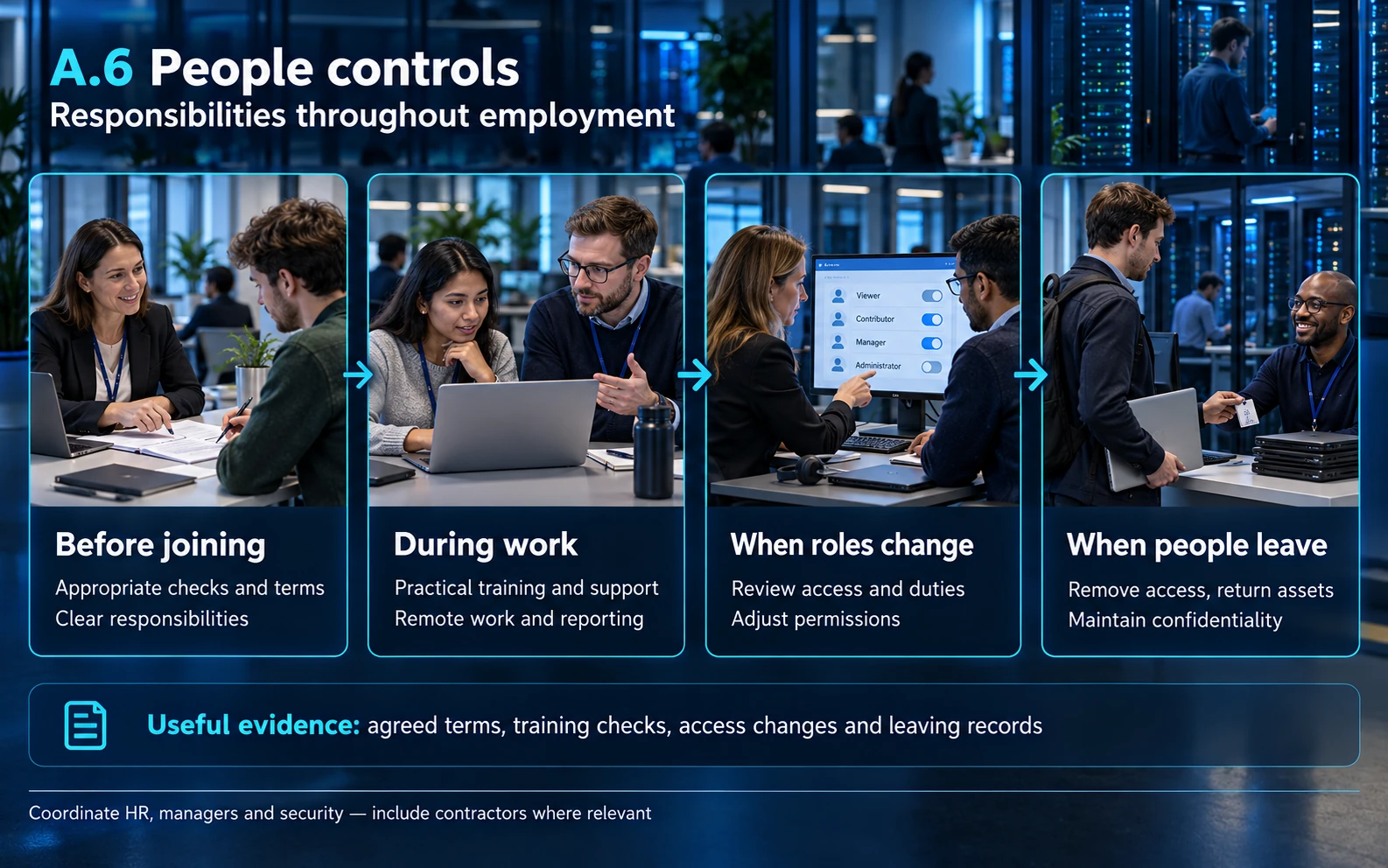
Start and finish access properly. Examples: A.6.1, A.6.2, A.6.5 and A.6.6.
Use role-appropriate screening within applicable law, explain responsibilities and confidentiality, and connect recruitment and leaving processes to access and asset changes. Treat an internal role change as a reason to review existing permissions.
Useful evidence: Appropriate checks, agreed terms, onboarding records and coordinated role-change or leaving checklists.
Teach the decisions people actually make. Examples: A.6.3 and A.6.4.
Give staff practical guidance for their work: verifying payment changes, handling sensitive files, reporting mistakes or approving supplier access. Check understanding and address repeated problems through appropriate management processes rather than relying only on annual attendance.
Useful evidence: Role-specific materials, participation and understanding checks, follow-up support and records of agreed action.
Make remote work and reporting workable. Examples: A.6.7 and A.6.8.
Set expectations for devices, private conversations, document storage and reporting a lost device or suspicious message. Provide a reporting route people can find quickly, including when normal email is unavailable. Encourage prompt reporting without requiring staff to prove an attack first.
Useful evidence: Remote-working arrangements, device records, a tested contact route and examples of reports being triaged.
A.7 — Physical controls: places, equipment and access
Purpose: protect the places and equipment through which information could be exposed, damaged or interrupted. Facilities, IT and relevant suppliers share the work. A remote or cloud-based organisation still needs to consider devices, home working and assurance over provider facilities.
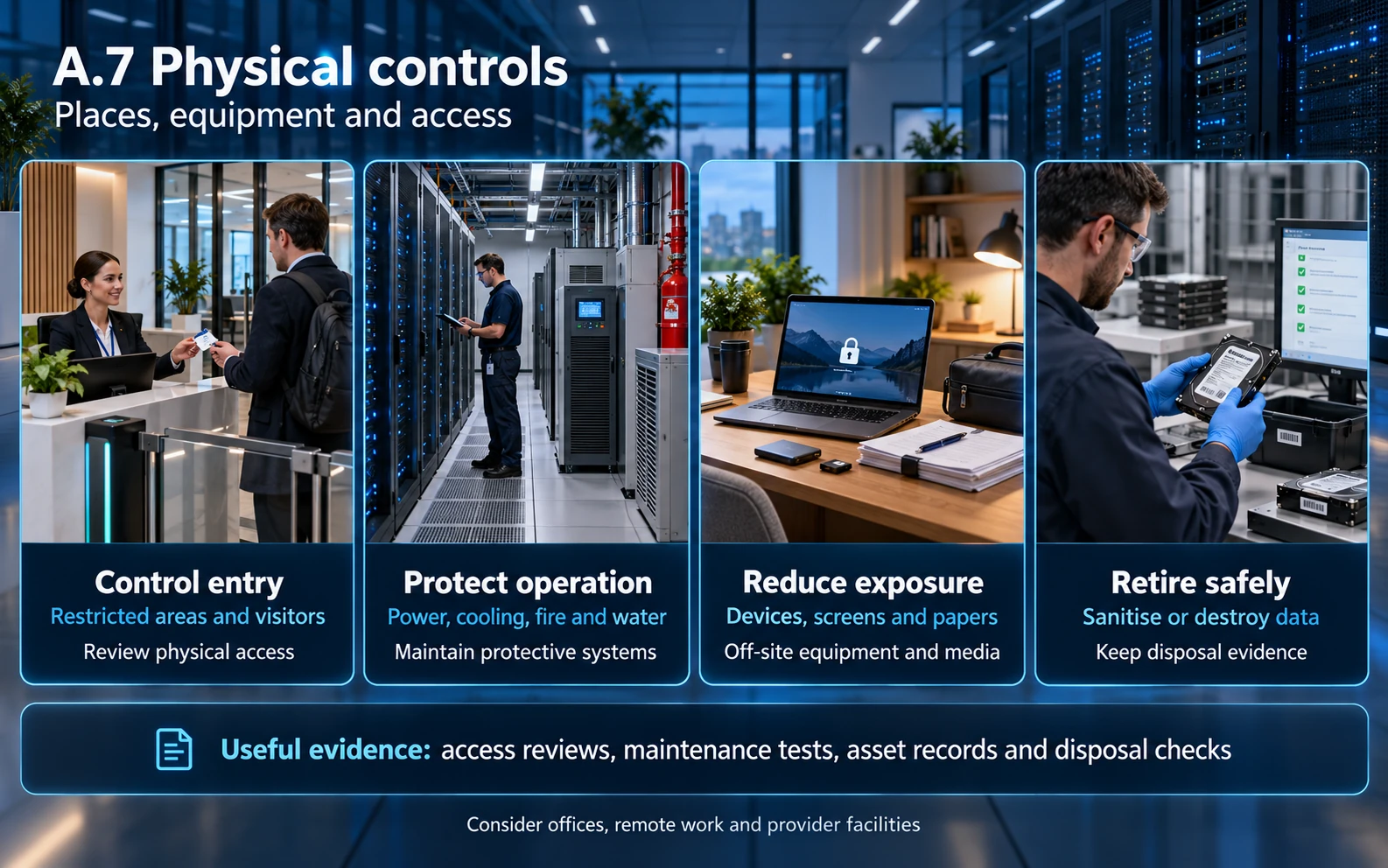
Control entry to sensitive locations. Examples: A.7.1–A.7.4 and A.7.6.
Identify where restricted information or equipment is handled. Decide who may enter, how visitors and maintenance staff are managed, and how inappropriate access would be detected. Check that revoked building access and unattended doors do not undermine the intended boundary.
Useful evidence: Access permissions, visitor and maintenance records, access reviews and appropriate monitoring arrangements.
Protect equipment and its dependencies. Examples: A.7.5, A.7.8, A.7.9 and A.7.11–A.7.13.
Consider theft, fire, water, power, cooling and damage to cables, both on site and away from the office. Identify who maintains protective systems and what happens when a dependency fails. Match safeguards to the location and service, including what a hosting provider supplies.
Useful evidence: Site-risk reviews, maintenance and test records, equipment inventories and documented supplier responsibilities.
Handle everyday exposure and disposal. Examples: A.7.7, A.7.10 and A.7.14.
Protect unattended screens and papers, control removable media and use an appropriate sanitisation or destruction process before equipment is reused or discarded. Track items through disposal so a collection receipt is not mistaken for proof that data was removed.
Useful evidence: Clear-desk checks where appropriate, media records, disposal approvals and sanitisation or destruction evidence.
A.8 — Technological controls: systems that enforce protection
Purpose: make systems enforce the intended protections and provide evidence when they fail. IT operations, application owners, developers and security teams should agree who configures, monitors and verifies each measure.
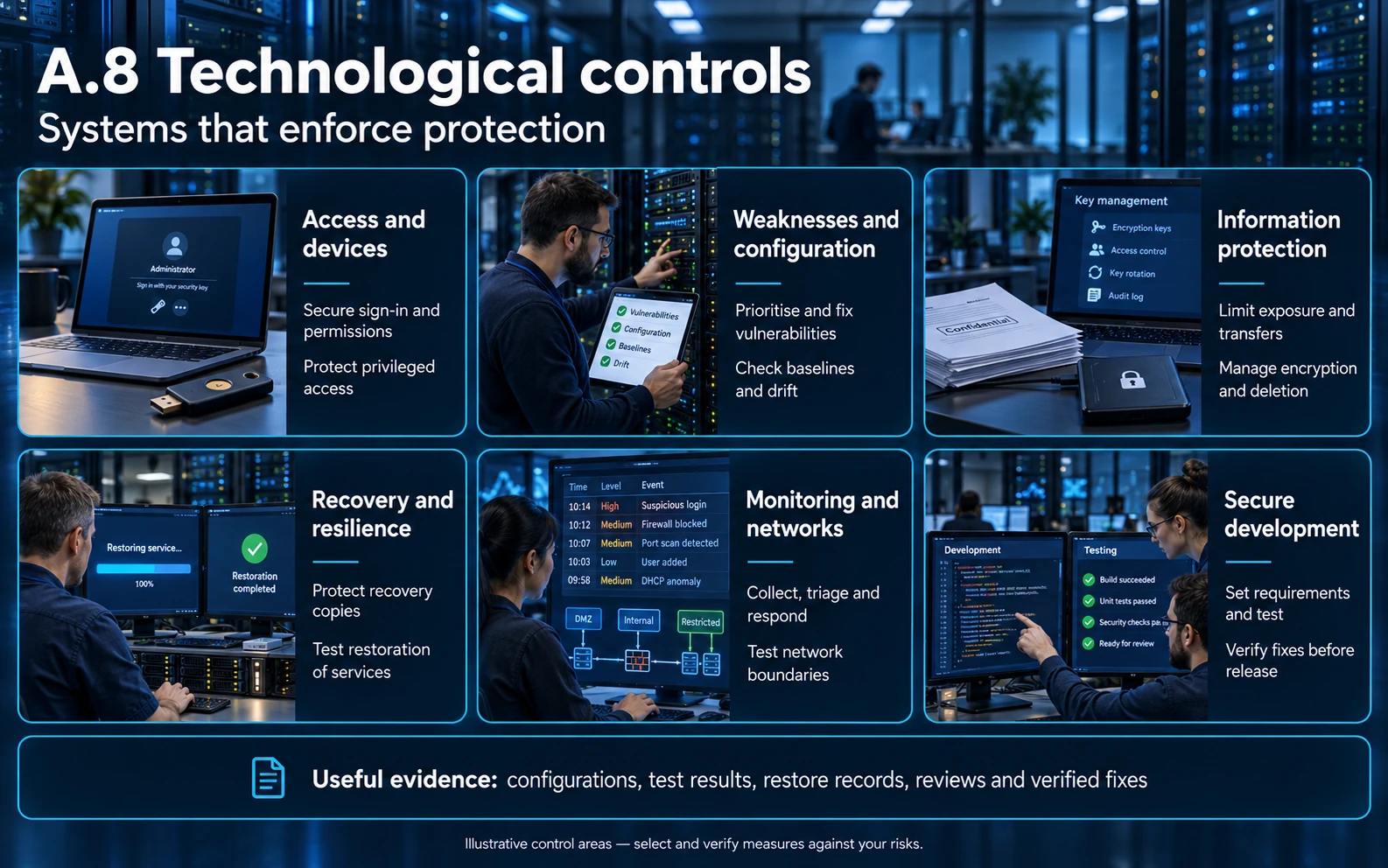
Protect devices and privileged access. Examples: A.8.1–A.8.5.
Maintain supported devices, restrict administrative rights and enforce appropriate authentication and permissions. Separate normal work from privileged administration. Include source-code access and non-human identities rather than reviewing staff logins alone.
Useful evidence: Device coverage, access settings, privileged-account reviews and tests of the intended access restrictions.
Manage weaknesses and configuration. Examples: A.8.7–A.8.9.
Identify relevant vulnerabilities, prioritise them using exposure and business impact, and verify remediation. Establish secure configuration baselines and investigate drift. Record temporary exceptions, their owners and review dates rather than leaving unsupported systems unexplained.
Useful evidence: Inventory-linked findings, patch and change records, configuration checks and verified closure or authorised exceptions.
Control information throughout its use. Examples: A.8.10–A.8.12 and A.8.24.
Define retention and deletion, reduce unnecessary exposure of sensitive data and control inappropriate transfers. Decide where encryption is needed and who manages keys and recovery. Test that an authorised recovery process works without making protected data broadly accessible.
Useful evidence: Retention decisions, deletion results, data-handling tests, encryption settings and key-management responsibilities.
Prove recovery and service resilience. Examples: A.8.6, A.8.13 and A.8.14.
Match capacity, backup and resilience arrangements to the services the business needs. Protect recovery copies from the same failures and credentials that affect production. Restore a useful service and validate its data; a successful backup job alone does not establish recoverability.
Useful evidence: Recovery objectives, backup coverage and access controls, restore results and actions arising from capacity or resilience tests.
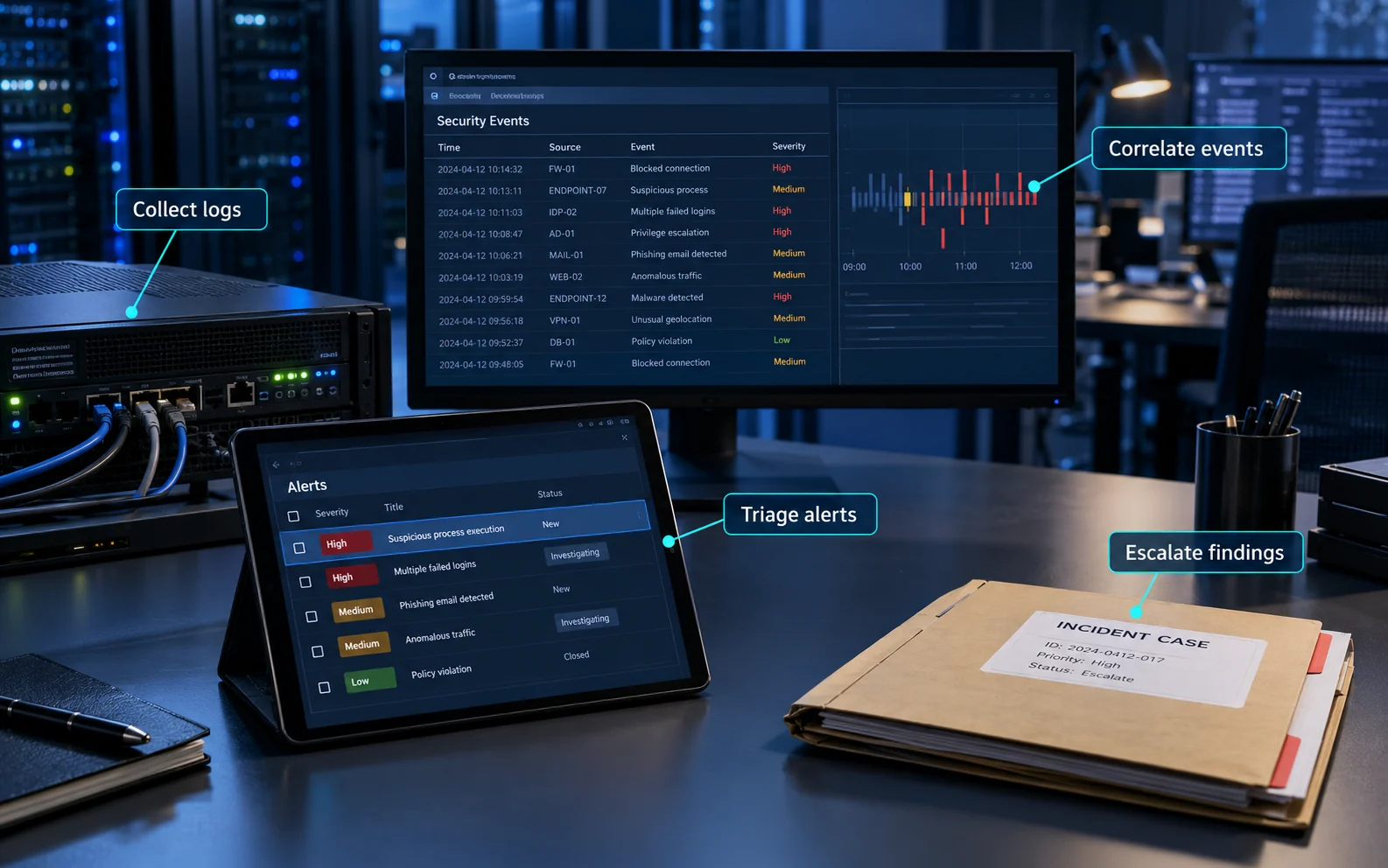
Make monitoring lead to action. Examples: A.8.15–A.8.17.
Choose events that help detect misuse and investigate incidents. Protect logs, maintain useful timestamps, assign alert owners and exercise escalation. Check whether someone responds to a meaningful alert instead of measuring success only by the volume of logs collected.
Useful evidence: Logging coverage, alert rules, triage records, time settings and documented responses to test events.
Protect networks and operational changes. Examples: A.8.18–A.8.23 and A.8.32.
Restrict powerful utilities and software installation, define network boundaries and manage service configuration and changes. Review exposed services and remote administration. Test important restrictions from both permitted and prohibited locations.
Useful evidence: Approved network and service changes, reviewed rules, restriction tests and recorded emergency changes.
Build and test security into applications. Examples: A.8.25–A.8.31 and A.8.33–A.8.34.
Define security expectations before development, review design and code, and test relevant abuse cases before release. Control supplier development, separate environments and protect test data. Authorise assessment activity and agree safeguards so testing does not unnecessarily disrupt production.
Useful evidence: Security requirements, design or code reviews, test findings, release decisions, supplier assurance and remediation verification.
More detail: information handling, cryptography and development
These topics often need more than a short policy statement. The examples below show how to turn the relevant controls into an operating process. They are implementation examples, not additional ISO requirements or a replacement for the licensed standards.
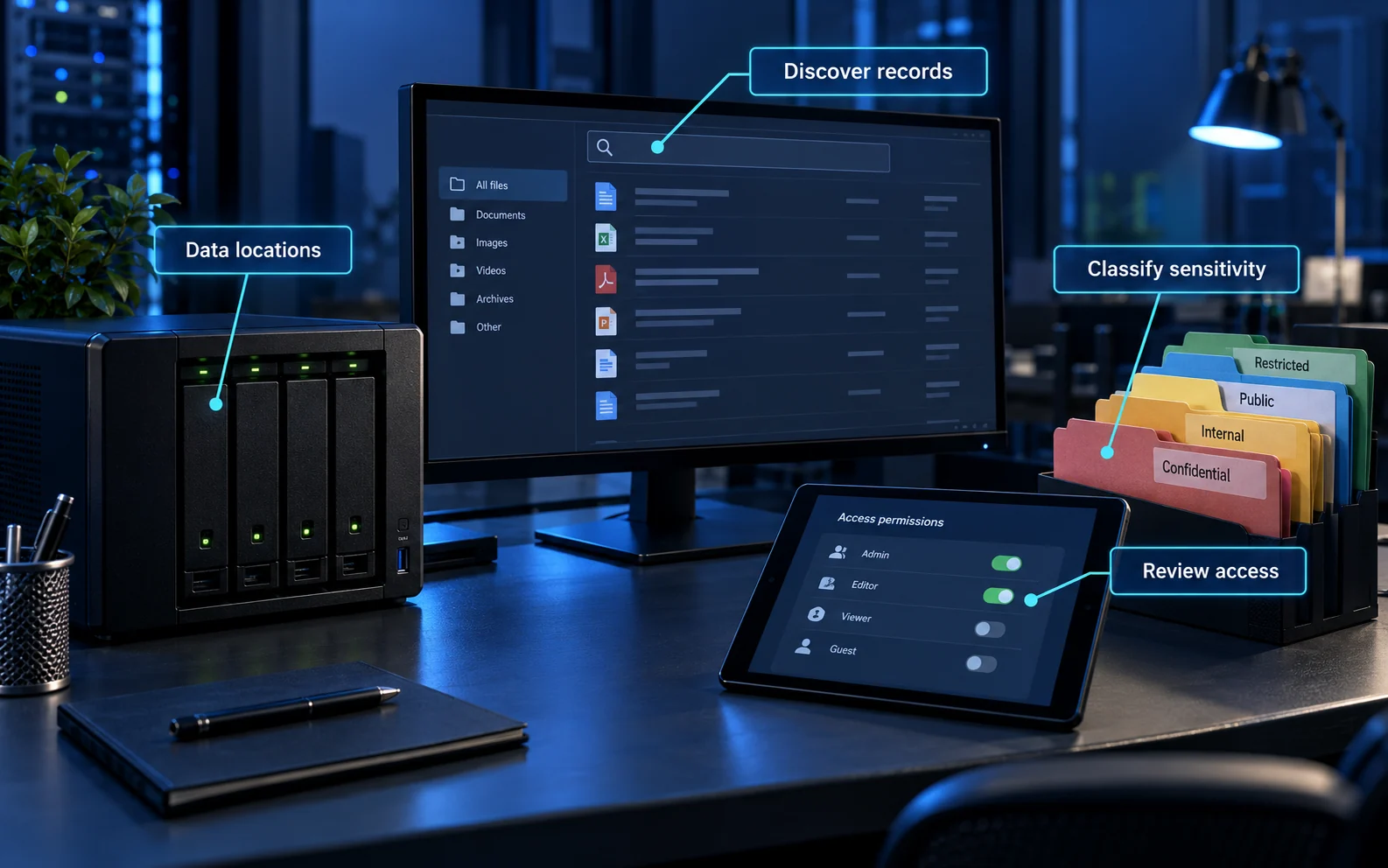
Classify information and control its movement
Related references include A.5.9, A.5.12–A.5.14, A.7.10, A.7.14 and A.8.10. Start with an information set, its owner and where copies exist. Agree handling rules that people can apply: who may receive it, approved sharing methods, retention, and what must happen when a device or service is retired.
Example: a customer export may be permitted in an access-controlled support workspace but not in a public sharing link. Apply that decision to export permissions, recipient checks, sharing expiry and deletion. Include temporary files, removable media and supplier-held copies where relevant. A classification label is useful only when it changes handling behaviour.
Evidence: trace a sample export from approval to recipient access and disposal. Check that the documented rule matches the actual settings and that a departed user cannot still open the shared copy.
Manage encryption and the keys it depends on
A.8.24 addresses cryptography. Decide what needs protection and against which risks, then establish who can administer keys, recover information and respond to a suspected key compromise. Include key creation, distribution, storage, replacement and retirement in the design. Use supported cryptographic services and review their configuration.
Example: an encrypted backup is not recoverable if its only usable key is lost with the production account. Give authorised recovery personnel a controlled, tested way to obtain what is needed. Conversely, storing an unrestricted key beside the encrypted copy can undermine the intended separation.
Evidence: maintain ownership and access records, demonstrate an authorised recovery, and test relevant key-change procedures. Encryption does not correct excessive application permissions: a compromised authorised application may still decrypt data. OWASP’s cryptographic-storage guidance provides technical design considerations.
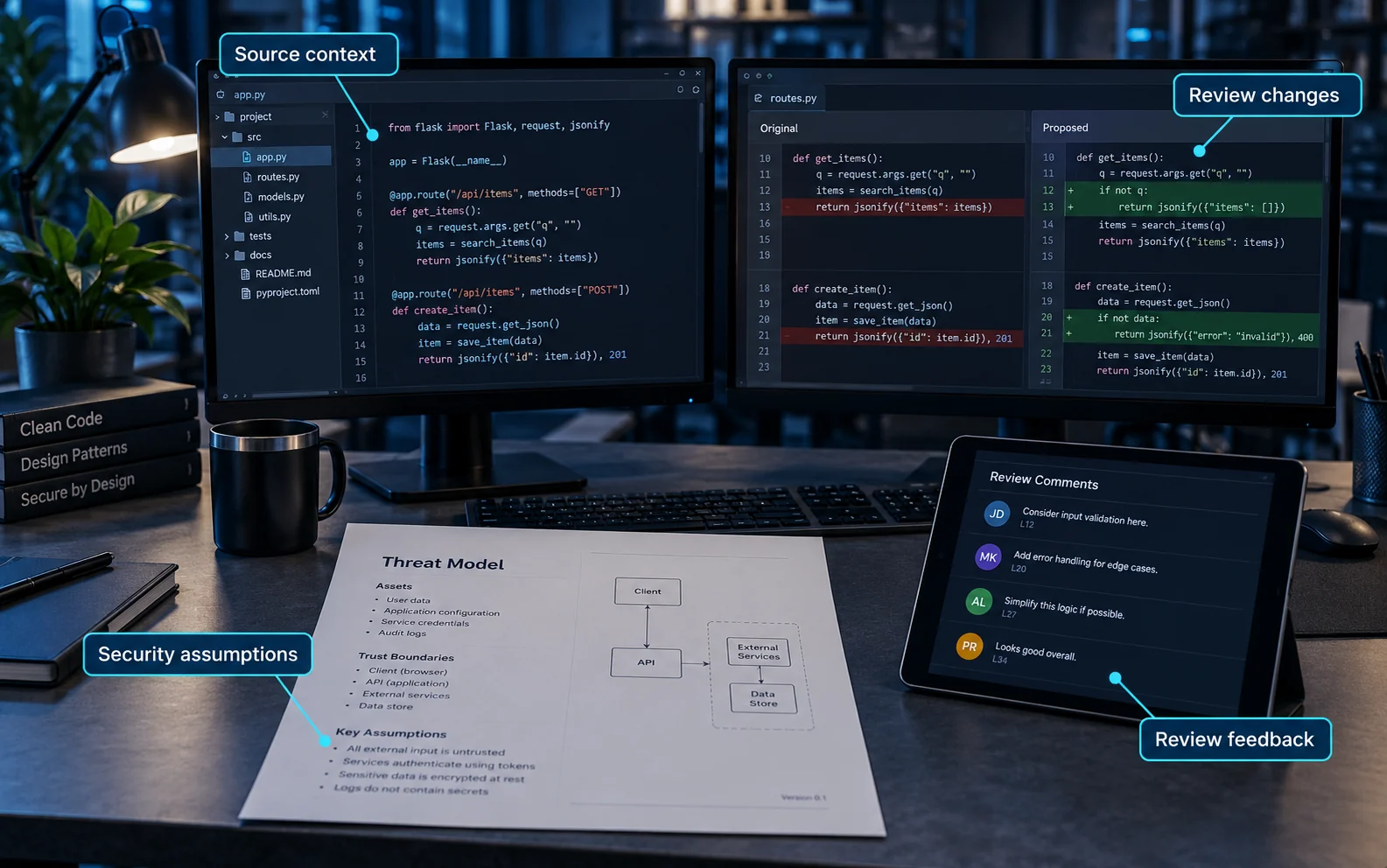
Carry security requirements through development and testing
Related references include A.8.25–A.8.33. Define security acceptance criteria before a system is built or bought. Carry them through design review, implementation, testing, release approval and later changes. Include outsourced developers and the boundaries between development, test and production.
Example: a customer portal should prevent one customer from opening another’s records. Record that requirement, review the permission design, test permitted and denied actions, and keep a regression check after the fix. Use synthetic test records where practical; real production data needs an explicit justification and appropriate protection.
Evidence: connect the requirement to the tested release, findings, remediation, approval and rollback arrangements. Check test data and temporary accounts are removed or handled under the agreed retention process.
Implementing and reviewing controls
Work through a real business service first, then apply the same method across the ISMS scope. The sequence below is an implementation aid, not a substitute for the standard.
Agree the boundary. Describe the service, information, sites, people and suppliers included. Explain interfaces with anything outside the scope. Obtain agreement from the responsible business leaders.
Describe credible risks. Record what could happen, the affected service and the consequences. Use consistent criteria for judging likelihood, impact and when risk needs treatment.
Choose treatment and controls. Decide how to reduce, avoid, share or retain risks as appropriate. Compare the controls selected with Annex A and check that necessary measures were not overlooked.
Assign the work. For each gap, name an owner, action, due date, resources and a test that will show whether it works. Record who is authorised to accept residual risk.
Implement in everyday operations. Update processes, settings, contracts and training together. Use existing service-management records where they provide reliable evidence rather than creating a disconnected document set.
Verify the outcome. Sample actual events and records, inspect settings and test relevant safeguards. Investigate differences between the documented process and what happened.
Review and improve. Feed results into internal audit, management review and corrective action. Revisit the scope, risks and SoA after significant changes.
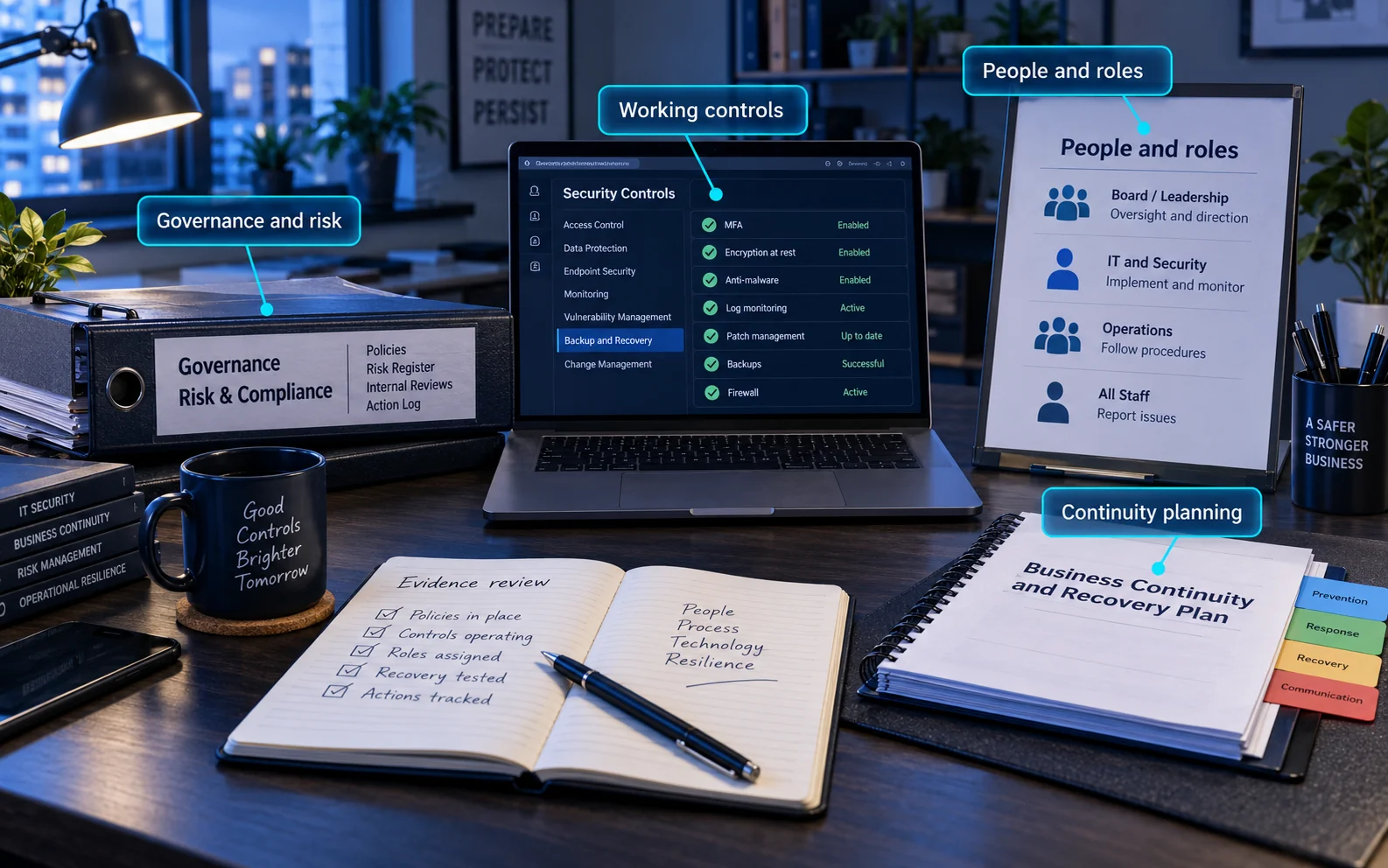
Example acceptance check: do not close a backup action when software is installed. Close it when the intended information is covered, access to copies is controlled, a representative restore succeeds, and the owner has addressed any failure to meet the agreed recovery need.
How can we tell whether implementation is working?
Ask a control owner to show one real example from beginning to end. The evidence should identify the service, date, responsible person, result and handling of exceptions. Use an appropriate sample across the assessed scope and period rather than choosing only the easiest success.
Review question | What a useful answer demonstrates |
|---|---|
Does the measure address the risk? | The owner can explain the intended outcome and how the control changes that risk. |
Is it operating consistently? | Current records and settings match the documented process, including relevant suppliers and locations. |
Are failures acted on? | Exceptions have owners, priorities, decisions and verified follow-up. |
Can management make an informed decision? | Remaining gaps, resources and residual risks are visible to the people accountable for them. |
Common traps: buying templates before defining scope; copying another organisation’s SoA; counting installed tools as proof of effectiveness; excluding outsourced controls automatically; and leaving actions open without accountable owners. Internal audit should challenge these assumptions before an external assessment.
Common questions
Are all 93 controls mandatory?
No: all 93 reference controls must be considered, but not all must be selected. Determine the controls your risks and obligations require, compare them with Annex A and justify any exclusions. Necessary controls must be implemented; inconvenience is not an exclusion rationale. Controls outside Annex A can also be necessary and belong in the SoA.
This flexibility does not apply to the management-system requirements in Clauses 4–10 when claiming conformity with ISO 27001. The ISO committee’s explanation of the SoA distinguishes these requirements from the reference controls.
How do ISO 27001 and ISO 27002 differ?
ISO/IEC 27001 specifies ISMS requirements against which an organisation can be certified. ISO/IEC 27002 provides guidance on information security controls and their implementation. Use the current licensed standards for the full requirements and guidance.
Does completing Annex A mean we are certified?
No. Certification concerns the defined ISMS and its conformity with ISO 27001, including management-system activities such as leadership, review and improvement. A control list, an individual test or a certificate for a supplier does not establish your organisation’s certification.
What evidence should we prepare for an assessment?
Bring the ISMS scope, risk assessment and treatment plan, current SoA, control owners and evidence of operation. Also prepare internal-audit findings, management-review records and corrective actions. Examples should show what happened, when, who performed the task and how exceptions were resolved. Match evidence to the assessed scope and period; a template or supplier certificate alone is insufficient.
How often should we review the SoA?
Keep it aligned with risk assessment and treatment, and review it at your planned intervals and when significant changes affect applicability. New services, locations, suppliers, incidents and legal or contractual obligations may trigger a review. Do not treat a fixed annual document refresh as sufficient if the organisation has changed in the meantime.
Can we still use a 2013 checklist or certificate?
Use older documents only as migration material after mapping them to the 2022 structure. The UKAS transition timetable required certification bodies to complete client transitions by 31 October 2025. Check the current certificate’s edition, scope and status with the certification body. The ISO catalogue also lists the 2024 climate-action amendment to the 2022 standard; use the applicable amended requirements.
Can a small or remote business implement this proportionately?
Yes. Start with the information and services within scope, use measures proportionate to their risks and keep the evidence understandable. One person may perform several roles, but important decisions still need appropriate oversight. Remote work changes where information is handled; it does not automatically remove people, physical or supplier controls.
How long does implementation take?
The answer depends on scope, existing practices, evidence gaps, supplier dependencies and available people. Establish a baseline and a prioritised treatment plan before estimating a completion date. Agree assessment readiness with the responsible advisers or certification body; completing a policy pack is not the same as demonstrating an operating ISMS.
Related guidance and support
Start with a gap review: confirm the scope, identify necessary controls, check the SoA against operating evidence and prioritise unresolved gaps. Avoid buying a full set of policy templates before understanding the organisation’s risks.
See ISO 27001 consultancy for help with scope, gaps and implementation. The cyber maturity assessment guide explains a different way to assess capabilities and plan improvements.
This article summarises the 2022 control structure; it does not reproduce the standard or replace its requirements. Consult the ISO standard and amendment information when maintaining your ISMS.
Need Help?

If you have any questions about cyber security or would like a free consultation, don't hesitate to give us a call!
For More Information Please Contact Us
ACCREDITATIONS