Wireless Security Testing
Wireless Network Security Testing examines whether a person within radio range could gain unauthorised access or expose information.
Employees and partners alike anticipate seamless wireless connectivity. However, the widespread adoption of wireless networks can inadvertently introduce vulnerabilities, particularly when configurations are sub-optimal or rely on flawed protocols. Exacerbating this is the wireless signal's ability to stretch beyond the organisation's physical confines, potentially presenting added risks.
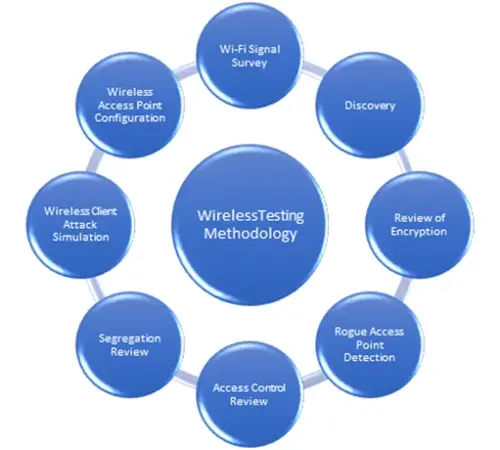
To fortify the security stance of these pervasive networks, ProCheckUp offers specialised wireless testing. Through simulated attacks on your Wi-Fi—including Denial of Service (DoS), authentication checks, and assessments of wired and wireless network segregation—we ascertain potential vulnerabilities. Our mapping exercise also visually illustrates the reach of your wireless signals, both within and beyond your premises.

Wireless environment and scope
Corporate, guest and device networks at the selected locations
Authentication, encryption and wireless-to-wired boundaries
Access-point inventory and relevant management interfaces
Common Questions
What is a wireless network penetration test?
A wireless network penetration test, often referred to as a wireless pen test, is a comprehensive evaluation aimed at identifying and resolving security vulnerabilities within wireless networks. By simulating real-world attacks, security professionals attempt to exploit weaknesses in wireless protocols, configurations, and encryption technologies. This type of testing typically encompasses various attack vectors, including rogue device detection, the breaking of encryption or authentication processes, and testing how far beyond the physical boundaries the network extends..
Benefits of a wireless network penetration test?
The primary benefits of conducting a wireless network penetration test include:
Enhanced Security Posture: Identifying and mitigating vulnerabilities helps prevent unauthorised access and data breaches.
Regulatory Compliance: Many industries are subject to regulations that require periodic security assessments, including wireless testing.
Extended Protection: Testing goes beyond the immediate wireless environment to evaluate how signals extend outside physical boundaries, potentially exposing the network to external threats.
Awareness and Training: It helps in understanding potential security flaws and improving the security protocols practiced by the staff.
Is a wireless network penetration test right for you?
If your organisation relies on wireless technology for daily operations, a wireless penetration test is likely crucial. This is especially relevant if:
You store or transmit sensitive data over wireless networks.
You have to comply with industry standards and regulations such as PCI DSS, HIPAA, or GDPR, which may mandate rigorous security measures.
Your network has not been tested previously, or it has undergone significant changes in configuration or usage.
You wish to maintain a strong security posture and safeguard your business reputation by proactively addressing vulnerabilities.
What tools are designed to test the security of wireless networks?
Several advanced tools and technologies are employed during wireless penetration tests to uncover and exploit vulnerabilities effectively. Some of these tools include:
Aircrack-ng: A complete suite of tools to assess WiFi network security focusing on monitoring, attacking, testing, and cracking.
Kismet: An open-source network detector, packet sniffer, and intrusion detection system for 802.11 wireless LAN's.
Wireshark: A network protocol analyzer that lets you capture and interactively browse the traffic running on a computer network.
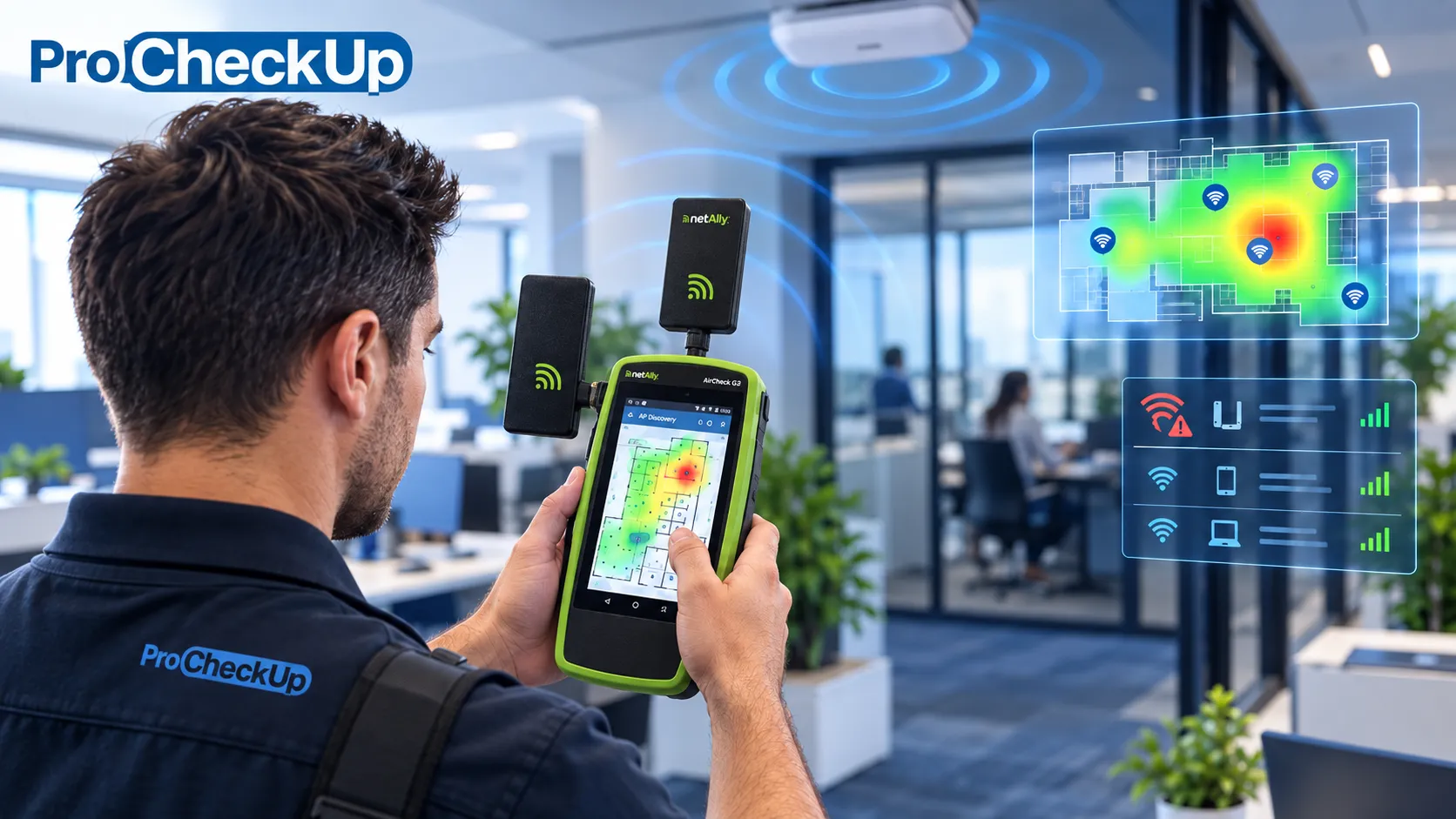
NetAlly AirCheck G3E-Pro: A hardware-enabled wireless analysis and site survey tool for WiFi 6/6E/7 and Bluetooth/BLE.
Alfa USB WiFi card: A widely used wireless network adapter that allows for advanced packet injection and monitoring, crucial for penetration testing.
WiFi Pineapple: A device used for more sophisticated attacks such as creating rogue access points to facilitate network monitoring and man-in-the-middle attacks.
Our Methodology at a Glance:
Post-assessment, ProCheckUp furnishes a comprehensive technical report. This includes detailed insights into identified vulnerabilities, remediation recommendations, and a synthesized executive summary. With the aid of CVSS scores and our proprietary risk ratings, we ensure clarity in understanding each vulnerability's potential implications. Recognizing the gravity of certain risks, we promptly alert our client's designated contacts about high or critical vulnerabilities.
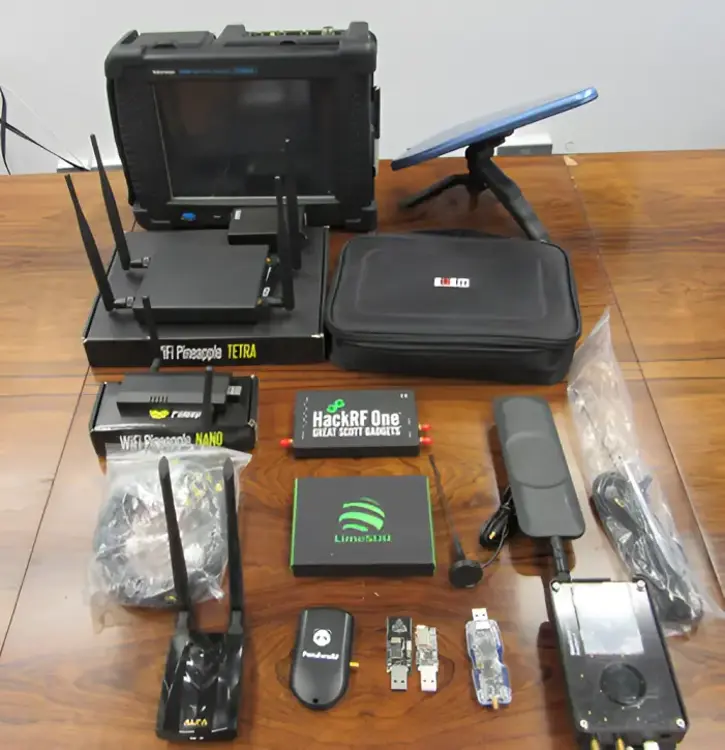
Tools of the Trade: Our expertise is powered by advanced tools such as:
NetAlly AirCheck G3E-Pro
Alfa USB WiFi card
WiFi Pineapple
Some of ProCheckUp's Wi-Fi and wireless technologies testing equipment.
ProCheckUp case study
ProCheckUp reviewed corporate, guest, management and operational wireless roles, including authentication, segmentation and access-point management.
Read the wireless network security assessment case study.
Discuss your requirements
Contact ProCheckUp with the environment, objectives and timing you have in mind. We can discuss the appropriate scope and next steps.
Need Help?

If you have any questions about cyber security or would like a free consultation, don't hesitate to give us a call!
For More Information Please Contact Us
ACCREDITATIONS